


Meal tracking plays a central role in almost any health and fitness journey, whether you’re aiming to lose weight, build muscle, improve your overall nutrition, or simply maintain a balanced lifestyle. Having a clear picture of what you eat each day can help highlight patterns, reduce overeating, and bring more consistency to your habits. It’s one of the most effective ways to turn good intentions into consistent, measurable progress.

Fortunately, tracking what you eat has never been easier than in 2026, thanks to the wide variety of ‘smart’ meal tracking apps on the market. Today’s apps go far beyond basic calorie counting, offering everything from barcode scanners and detailed nutrient breakdowns to AI-powered coaching and fully automated meal planning. Whether you want a basic, no-frills logger with manual entry, or an AI-powered meal tracking engine with all the bells and whistles, you should be able to find the right app to support your journey.
We’ll help you to find the best meal tracking app for you by breaking down the key features, ratings, pricing and pros and cons of 12 of the best apps currently on the market.
What to Look Out for in a Meal Tracking App
If it’s been a while since you last used a health app, you may well be surprised at how advanced the best meal tracking apps have become in 2026. Indeed, the best diet tracking apps on the market today are more powerful, more supportive and more user-friendly than ever before. Here are some of the top features to look out for in your meal tracking app.
- Smart food logging: The best apps to track and log your meals now go far beyond manual entry, offering barcode scanning, voice search, and photo-based logging, making it easier to stay consistent.
- Deep nutritional insights: If nutrition is a priority, look out for an app that breaks down macros and micronutrients, and reveals key nutritional patterns over time.
- AI-powered personalization: AI has already become a core part of many meal tracking apps. Look out for ones that use AI to adapt recommendations based on your habits, preferences, and progress. Instead of static targets, you get evolving guidance that feels more tailored and realistic.
- Integrations with wearables, health data platforms and smart scales: Syncing with fitness trackers, health apps, and smart scales gives you a more complete picture of your progress.
- Automated meal planning: Some apps like Eat This Much now generate full meal plans based on your calorie and macro goals, saving hours of effort each week. This feature is especially useful if you struggle with decision fatigue, live a busy life, or want a more structured approach to eating.
- Virtual coaching: Some apps come with built-in coaching features, often powered by AI. These coaches are designed to provide feedback, reminders, and accountability.
- Habit building tools: Many apps today help you build sustainable habits through reminders, streaks, and goal-setting features.
Best Meal Tracking Apps at a Glance
| App | Key Strength | Pricing (USD) | Best For |
|---|---|---|---|
| Eat This Much | Automated meal plans | Between $5–$15 per month | People who want meal plans completely built for them |
| MyNetDiary | AI meal scanner | $59.99 per year, or approximately $5-$9 per month | Users looking for a balanced, straightforward meal tracker |
| MyFitnessPal | Massive food database | $19.99 a month or $79.99 a year. The Premium+ option (with meal planner) costs $24.99 a month or $99.99 per year. | Those looking for a large number of integrations with other fitness tools |
| SnapCalorie | Quick photo-based logging | $179 annually, or $22.99 per month, but frequent discounts lower the price to the $75-$100/year range. | People who want to log food with photos |
| Fitia | AI coaching | $19.99 per month, or $59.99 annually, with a family plan costing $89.99 for a year | Those who want guidance and analysis from their meal tracking app |
| Noom | Daily psychology-based lessons | $169 for a four-month subscription, $179 for six months, or $209 for the 12-month package | Users who want tracking with built in behavioral support |
| Cronometer | Tracks up to 84 nutrients | Around $4.99 per month on an annual subscription or $10.99 per month paying as you go | Users who care about micronutrients and detailed nutrition |
| NutriShot AI | AI meal logging with portion estimates | Roughly $6-$7 per month or $30–$38 a year | AI‑powered meal logging that gets smarter over time |
| Yazio | Combines calorie counting with intermittent fasting | The annual plan costs $47.90 per year, or $3.99/month | Beginners looking for a user-friendly meal tracking app |
| Lose It! | Personalized daily calorie budget | Between $39.99 to $79.99 per year depending on the plan | Those seeking plenty of motivation from their app |
| My Macros+ | Precise macro tracking down to the gram | Around $1.99 per month or $19.99 per year, but pricing varies | Experts who want complete control over macro ratios and customized targets |
| Lifesum | Tracks lifestyle metrics for a holistic approach | Premium cost varies, but is typically around $40–$60 per year | People who want to use tracking as part of an overall healthy lifestyle plan |
*Prices as of September 2026. May vary by platform and region.
Our Meal Tracking App Reviews
Choosing the right meal tracking app for you can mean the difference between hitting your goals, and forgetting about them after a couple of days. Whether you’re just starting out on your nutritional journey or have years of experience, there will be an app out there that will support you in the right way. Below, we’ve broken down the top diet apps in 2026, from key features to pricing and ratings.
1. Eat This Much: Best for Automated Meal Plans

Eat This Much is first and foremost an automated meal planner designed to take the guesswork and hassle out of your diet. After all, when you’re trying to hit a specific calorie and macro target every day meal planning can become tedious, and it’s easy to slip off plan.
Eat This Much is a meal tracking app with a difference, instead of logging individual foods every day, you tell the tool your calorie goals, dietary preferences (like vegan, keto, Mediterranean, or personalized custom diet), and how many meals a day you want. Based on this information, it comes up with a daily or weekly meal plan that hits your precise nutritional targets, complete with recipes and portion sizes. Meanwhile, smart grocery lists update automatically based on your meal plan and even integrate with delivery services, so you can get everything you need with minimal hassle.
However, Eat This Much also includes flexible meal tracking. You can log individual foods and ingredients, scan barcodes to quickly find packaged foods, create your own recipes, or use recipes already available in the app. This means you can track what you actually eat, even when it differs from your planned meals.
Planning ahead like this can reduce food waste and keep you on track with your goals without having to think about “what’s for dinner,” while the tracking features make it easy to record any changes along the way.
Ratings: Eat This Much was named the Best Meal Planning App of 2025 by CNN Underscored. The app has 4.7 stars on Apple’s App Store and 4.6 stars on Google Play. Users say that it simplifies nutrition, saves you time and gets results.
Key Features:
- Automated daily or weekly meal planning based on calorie and macro targets
- Automatic meal tracking, with the option to adjust or track what you actually ate
- Barcode scanning for quickly adding packaged foods
- Large recipe database and the option to create custom recipes or log recipes already available in the app
- Personalized nutrition goals
- Supports multiple diet types including keto, paleo, vegan, vegetarian, and Mediterranean, with full customization options
- Automatic grocery lists
- Smart features like leftovers and pantry tracking which help to cut food waste and streamline repeat meals
Best for: People who have specific calorie and/or macro goals to hit and want to combine automated meal planning with easy meal tracking.
Pros:
- Automated meal planning and grocery lists can save you a huge amount of time and help you stay consistent
- Reduces decision fatigue around meal planning
- Recipes are easy to follow
- Database includes plenty of recipes as well as individual foods, making tracking on the go easier
- The app’s highly personalized plans align tracking with specific goals
- You get a clear nutritional breakdown for every meal
- Intuitive experience that combines meal planning and tracking in one place
- Helps to cut food waste
Cons:
- Meal planning remains the app’s main focus, so it may feel different from a traditional food-tracking app
- Premium tier required for some advanced features, including weekly planning, automated grocery lists and leftovers management
- Recipes can sometimes be a little on the simple side
Pricing: Daily meal planning is free. However, the premium plan includes a number of advanced features like weekly planning, automated grocery lists, and leftovers management. Depending on your plan, it can cost between $5–$15 per month, but there’s a 14-day free trial. The app also has a Pro plan, designed for dietitians, trainers, and health coaches who need client management tools, which starts at $49 per month.
2. MyNetDiary: Best for User-friendly Meal Tracking

MyNetDiary is a simple yet powerful meal tracking app. It puts a focus on fast, accurate and sustainable tracking of calories and macros. Smart tools like a barcode scanner and AI-powered meal recognition level it up from simple calorie counter status, allowing you to log food in seconds rather than minutes. What’s more, your daily calorie budget updates dynamically, depending on your activity and goals.
While the app encompasses a range of advanced features, from personalized diet plans to detailed nutritional insights, it’s super usable, with an interface that feels intuitive from first open. It has a curated food database, counts calories, and supports a wide range of diets, including keto and low-carb diets, making it flexible for different goals.
Ratings: MyNetDiary has 4.8 stars on the Apple App Store, and 4.7 on Android thanks to its intuitive interface and detailed tracking options.
Key Features:
- AI meal scan for instant food logging via photos, as well as a barcode scanner and predictive search
- Verified food database
- Personalized diet plans
- Macro and calorie tracking with detailed nutrition insights (100+ nutrients with Premium)
- AutoPilot calorie adjustment and personalized insights
Best for: Beginners and intermediate users who want a reliable, low-friction tracker they will actually use.
Pros:
- Extremely easy and fast to use
- Food database is more accurate than some other apps
- Generous free plan (no ads)
Cons:
- Smaller food database than some other apps
- A number of advanced features locked behind paywall
Pricing: If you simply want core calorie tracking, barcode scanning and basic nutritional insights, you should be fine with the app’s generous free plan (no ads!). More features (including diet-specific plans, detailed nutritional analysis and personalized insights) are included on the premium plan, which cost around $59.99 per year.
3. MyFitnessPal: Best Food Database and Integration Options

With over 200 million users, MyFitnessPal is a calorie counting heavyweight. Its biggest strength is its vast food database, which, combined with its intuitive logging tech, empowers users to log almost anything instantly. You can log food by scanning barcodes, importing recipes from websites, or reusing saved meals. The app also integrates seamlessly with various fitness trackers, so activity tracking is simple too. And as you input your data, the app updates your daily calorie target in real time.
Ratings: With 4.7 stars in the Apple App Store, and 4.4 in Google Play, MyFitnessPal is recommended by users for its giant food library, strong integrations and intuitive logging tech.
Key Features:
- Huge food database, with 20 million+ items
- Barcode scanning, quick-add logging and recipe importer
- Integration with a range of wearables and apps
- Macro tracking and goal customization
Best for: Anyone who wants a broad, all-in-one tracking ecosystem.
Pros:
- Huge database means tracking packaged and restaurant meals is easier than with some other apps
- Wide range of integrations makes for seamless activity tracking
- Fast, flexible logging options
Cons:
- Database accuracy can be hit and miss as it’s user generated
- Premium tier is quite expensive
Pricing: Many MyFitnessPal’s free plan comes with basic food logging, calorie tracking, and device sync. Upgrade to premium for more detailed tracking and to eliminate the ads. It costs $19.99 a month or $79.99 a year. If you want a meal planner, 1500+ recipes, grocery app syncing, and automatic meal logging, you’ll need the Premium+ package, however, which costs $24.99 a month or $99.99 per year.
4. SnapCalorie: Best for Photo-based Meal Tracking

With SnapCalorie, you simply take a photo of your meal, and its AI tech estimates the calories, macros and micronutrients on your plate in seconds. This advanced tech doesn’t just identify foods, it also attempts to estimate portion size, which should make logging home cooked or restaurant meals so much easier. There’s also voice logging, smart insights and a built-in nutrition coach.
This app is all about making meal tracking as quick and low effort as possible, so there’s no typing, searching databases, or scanning barcodes here. However, this convenience comes with a trade off. AI estimation isn’t perfect, so your meal tracking may lack the accuracy of apps where there’s a bit more manual logging involved.
Ratings: SnapCalorie has racked up 4.7 stars on iOS and 4.4 on Google Play. Users praise its super fast logging capabilities, and note how helpful it is when eating out.
Key Features:
- AI photo-based tracking with automatic portion size estimation
- Voice logging for hands-free tracking
- AI nutrition coach
Best for: Casual dieters who are always on the go, or anyone who is happy to prioritize convenience over precision when it comes to meal tracking.
Pros:
- Much faster than traditional tracking
- Great for eating in restaurants and logging home cooked meals
Cons:
- Not always the most accurate
- Small user base compared to major apps
Pricing: You can log up to three meals per day for free on SnapCalorie, but for unlimited logging, and to unlock the AI coach, you’ll need a premium subscription. This costs $179 annually, or $22.99 per month, but the app often offers discounts which can bring the price down significantly.
5. Fitia: Best for AI-powered Nutrition Coaching

Fitia combines smart logging with an AI-powered diet coach for an all-in-one diet experience. It aims to make meal tracking as quick and effortless as possible, with photo, voice, barcode and simple text logging all available. What’s more, the app is known for the accuracy of its food database, with every entry reviewed by nutritional professionals before publication.
But Fitia goes beyond traditional tracking with its personalized meal planning capabilities. It calculates your calorie and macro targets based on your goals, then continuously adapts them based on your progress. Then, its AI-powered coach generates a tailored weekly meal plan designed to keep you aligned with your evolving targets.
Ratings: Fitia has 4.9 stars on both iOS and Android, with users citing its fast, flexible logging and personalized targets.
Key Features:
- Smart and flexible food logging (photo, voice, barcode, text)
- Personalized calorie and macro targets
- AI coaching and meal planning
Best for: People who want a high level of guidance on their nutritional journey.
Pros:
- Quick and convenient logging
- High level of accuracy on the food database
- Easy to use
Cons:
- Smaller food database than some other apps
- AI logging not always precise
Pricing: You can get basic calorie logging on the free version but for meal planning and advanced analytics, you’ll need to splash out on premium, which costs $19.99 per month, or $59.99 annually. Fitia also offers family plans, which cost $89.99 annually.
6. Noom: Best for Behavior Change and Habit‑based Weight Loss
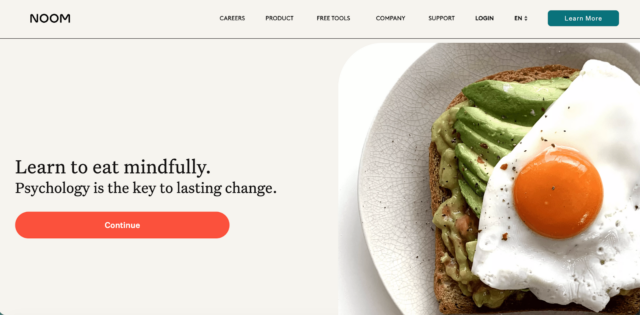
Noom takes a different approach to most other meal tracking apps. This platform puts a strong emphasis on behavioral change, using psychological techniques to change how people think about food. For example, instead of rigid dieting rules, it uses a color-coded system to guide portion control and food choices. However, the app does also incorporate a pretty good meal tracker.
Logging meals is straightforward on Noom, which is home to a database of more than a million foods, and offers barcode scanning. However, it’s worth noting that it’s less detailed than dedicated tracking apps, with the real benefit coming from all the features around the tracker, such as daily lessons, habit tracking and coaching.
Ratings: Noom has 4.7 stars on the Apple App Store and 4.1 on Google Play. It’s highly regarded among users for its psychological approach.
Key Features:
- Calorie tracking with barcode scanning
- Color-coded food system
- Daily psychology-based lessons and habit coaching
Best for: People who struggle with consistency or emotional eating, and who are happy to spend plenty of time engaging with the app.
Pros:
- Strong focus on long-term, sustainable behavioral change
- Useful educational content
- Takes a flexible approach with no banned foods
Cons:
- Requires a lot of time spent on the app
- Expensive compared to most standard meal trackers
Pricing: A four-month Noom subscription starts at $169 (approximately $42 per month). The six month option starts at $179, or there’s a 12-month package for $209.
7. Cronometer: Best for Micronutrient Precision

Cronometer is a supercharged calorie counter designed for people who take tracking their nutrition very seriously. Whereas most apps focus on calories and macros, Cronometer provides super detailed insights into your meals, tracking up to 84 nutrients and going as deep as omega-3 subtypes. This makes it a popular app among nutritionists, athletes and anyone who wants to optimize their diet beyond simple weight loss.
Meal tracking on Cronometer is a pretty manual experience, but in return for your efforts, you get a highly accurate and detailed report. Unlike platforms that use crowd-sourcing for their food database, Cronometer relies heavily on verified, lab-tested data sources.
Ratings: Cronometer has 4.8 stars on the Apple App store and 4.6 on Android. Users praise its best-in-class micronutrient tracking, as well as the accuracy of the food database.
Key Features:
- Tracks up to 84 nutrients, including vitamins, minerals, and amino acids
- Highly accurate, verified food database
- Detailed macro and micronutrient breakdowns
Best for: People who care about nutritional accuracy, not just calorie counting, as well as those tracking specific nutrients.
Pros:
- Unmatched micronutrient tracking depth
- Highly accurate food database
- Strong free version
Cons:
- Not super easy to use
- Manual food logging experience
Pricing: The free version of Cronometer gives you access to nutrient tracking plus its verified database. Cronometer Gold, which costs around $4.99/month annually or $10.99 per month, includes custom charts, macro scheduling, a fasting timer, photo logging and a recipe imported. Plus no ads!
8. NutriShot AI: Best for AI‑driven Meal Tracking

With NutriShot AI, simply snap a photo of your meal and the app will return a full nutritional breakdown, including calories, macros, and more than 20 micronutrients. Indeed, this shiny new app is part of a new generation of meal trackers that aim to eliminate manual logging altogether.
NutriShot AI doesn’t just recognize the foods on your plate, it estimates how much you’ve eaten. And if it gets the details a bit wrong, you can simply tweak the ingredients or portion sizes displayed, which bridges the gap between convenience and accuracy. After you’ve logged a meal, the app suggests what you could eat next in order to hit your targets, combining meal logging with a bit of lightweight coaching.
Ratings: NutriShot AI is brand new, so reviews and ratings are currently very limited, but some users did mention the ease of logging and clear nutritional breakdowns
Key Features:
- AI photo-based meal logging with portion estimates
- Calorie, macro, and 20+ micronutrient tracking
- Editable meals with real-time recalculation
Best for: Casual dieters who want the fastest possible meal tracking experience with minimal effort.
Pros:
- Photo-first tracking means there’s no manual logging required
- Option to adjust nutritional values improves accuracy
- Easier to make healthy choices with the app’s guidance on what to eat next
Cons:
- Brand new app so no proven track record yet
- Food database is relatively small
- Doesn’t have many integrations
- Most core functionality locked behind subscription
Pricing: NutriShot AI doesn’t offer a true free tier, just an app preview or a short trial. To actually log meals or track calories, you’ll need a paid subscription, which comes to around $6-$7 per month or $30–$38 a year.
9. Yazio: Best for Beginner‑friendly Tracking with Simple Guidance

At its core, Yazio is a calorie counter designed to help users lose weight, gain muscle or maintain their nutrition. However, it comes with plenty of added extras like support for intermittent fasting, AI food recognition, habit tracking, and meal planning, for a well-rounded nutritional experience.
Tracking meals on Yazio is quick and flexible, you can search through its large database, scan barcodes, or use AI-powered photo logging. The app isn’t as data-heavy as Cronometer or as big as MyFitnessPal, but instead offers a comfortable middle ground with a clean and engaging interface.
Ratings: Loved for its easy, intuitive interface and large food database, Yazio scores 4.7 stars on iOS and 4.6 on Google Play.
Key Features:
- Calorie tracking with large food database
- Barcode scanner and AI-powered photo food logging
- Built-in intermittent fasting tracker
- Integration with fitness apps including Apple Health, Fitbit, and Garmin
Best for: Beginners or casual dieters who want an easy-to-use app with calorie tracking and fasting in one place.
Pros:
- Very easy to navigate with its clean, beginner-friendly interface
- Combines calorie tracking with fasting
- Food logging is flexible
- Large food database
Cons:
- Some features feel overly gamified, which can be distracting
- AI tracking isn’t always accurate
- Limited micronutrient depth
Pricing: Download Yazio for free and get basic calorie and food tracking, activity sync and fasting timers. If you want advanced features like AI photo food tracking, custom meal plans, recipe library and fasting insights, go for a Pro subscription. The annual plan costs $47.90 per year, or $3.99/month, but Yazio regularly runs promotions, so it’s worth looking out for discounts.
10. Lose It!: Best for Gamification, Social tracking and Challenges
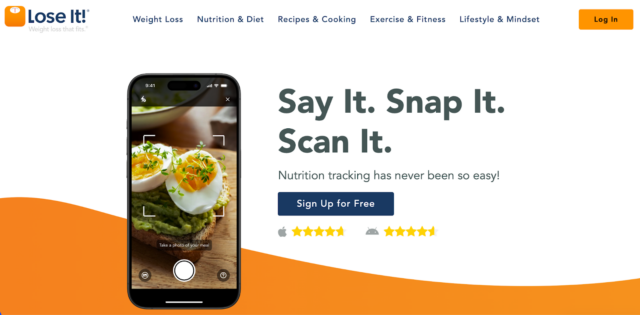
Lose It! is a straightforward, goal-driven meal tracker that aims to help users lose weight through consistent calorie tracking and habit building. Simply download the app and set your goal, and the app will give you a daily calorie budget. Lose It! has been around a long time, and has a massive food database with more than 50 million items.
While this no-frills app doesn’t incorporate as much AI as newer platforms, it has plenty of gamified elements, like streaks and milestones, to keep users engaged and motivated. It also includes intermittent fasting tracking, features like barcode scanning, saved meals, and restaurant entries which make it easy to track real-life eating.
That said, it’s not as “smart” or AI-driven as newer apps. There’s no photo logging, and some features (like advanced insights and macro customization) sit behind a paywall.
Ratings: Lose It! has a score of 4.8 stars on the Apple App Store, and 4.6 stars on Google Play. User highlights include its easy, fast food logging and vast database.
Key Features:
- Calorie tracking with personalized daily budget
- Massive food database with more than 50 million items
- Barcode scanner and restaurant logging
- Intermittent fasting tracker
Best for: Beginners who want a simple, reliable calorie tracker, as well as people who need a bit of added motivation from their meal tracking app.
Pros:
- Simple to set up with user-friendly interface
- Logging is easy with vast food database
- Offers more motivation than some other apps, with streaks and milestones
Cons:
- Free version has ads
- No AI or photo logging
- Limited micronutrient tracking
Pricing: Lose It! offers basic food logging, calorie tracking and goal setting for free. Upgrade for meal planning tools, as well as macro tracking and personalized insights. Premium membership costs between $39.99 to $79.99 per year, depending on which plan you go for.
11. My Macros+: Best for Custom Macro Tracking for Serious Goals

If you care more about hitting precise nutrition targets than having a slick, modern app, check out My Macros+. Created by a fitness professional, the app focuses on tracking calories and macros down to the gram. You can set super specific targets (including carb cycling or different macros on different days). What’s more, the app’s database includes millions of foods, and you can also fully customize entries or build meals from scratch. While My Macros+ is not a ‘smart’ tracker, logging is relatively speedy once you get used to it.
Ratings: With 4.7 stars on the Apple App Store and 4.5 stars on Google Play, My Macros+ is well regarded for its highly customizable macro targets and flexible meal structure.
Key Features:
- Precise macro tracking down to the gram
- Custom macro goals, including carb cycling
- Large food database containing more than 5 million foods
- Barcode scanner
- Custom food creation
Best for: Advanced users who care about precision over convenience, such as bodybuilders, athletes, or experienced dieters tracking strict macros.
Pros:
- Macro customization is extremely flexible
- Built for serious dieting and performance goals
- Large, editable food database
Cons:
- Interface is a bit clunky and feels outdated
- Not as beginner friendly as other meal tracking apps
- Fewer AI features than competitors
Pricing: Core calorie and macro tracking are available for free on My Macros+. However, to unlock advanced features like detailed analytics and coaching tools, you’ll need a Pro subscription, which costs around $1.99 per month or $19.99 per year, although pricing does vary.
12. Lifesum: Best for Holistic Lifestyle Tracking

Best described as a lifestyle tracker, LifeSum blends traditional meal logging with diet plans, wellness scoring and AI-powered food recognition. It doesn’t just count calories – it combines your meals, hydration, and activity into a ‘Life Score’, which shows how balanced your eating patterns are over time.
LifeSum supports structured nutrition programmes like keto, Mediterranean, high-protein, and fasting, tailoring your macro targets, meal suggestions, and grocery lists to your chosen diet. What’s more, you can use photo, voice, barcode, or text to log food.
Ratings: Lifesum has 4.6 stars on iOS and 4.4 stars on Android. Users praise its intuitive design and flexible logging options.
Key Features:
- AI food logging, including photo, voice, text, and barcode
- Structured diet plans
- Meal suggestions alongside recipes and grocery lists
- Life Score wellness metric
Best for: Users who want a visually engaging tracker with guided diet plans and plenty of lifestyle insights.
Pros:
- Easy to use thanks to its stylish, beginner-friendly interface
- Seamless, convenient tracking with multiple logging options
- Built-in diet plans make set up quicker
Cons:
- Nutrient detail not as deep as some other apps
- Some AI logging results can be unreliable
Pricing: Like many of the other apps, you get basic calorie tracking, food logging, and limited insights with the free version of Lifesum. The premium package, meanwhile, offers full access to meal plans, recipes, diet programmes, detailed nutrition analysis, and Life Score insights. The price varies, but is typically around $40–$60 per year.
Common Mistakes When Using Meal Tracking Apps
Downloading your meal tracking app is just the beginning of your journey. To help you achieve your health and fitness goals, it’s important to steer clear of the following mistakes.
Not setting clear goals (and not adjusting them over time)
One of the biggest mistakes people make with meal tracking apps is jumping in without defining their goals. Want to lose weight? Gain muscle? Improve your energy? Eat more mindfully? Set clear goals at the beginning of your journey, and revisit and adjust over set periods of time. Otherwise, daily logging can feel a bit aimless. Remember, adjusting your goals means your app can provide relevant recommendations.
Inconsistent logging
Skipping meals or forgetting to log snacks can confuse your nutritional insights. So many users log perfectly for a few days, and then forget a few meals, thinking it won’t matter. But in reality, these gaps add up. Inconsistent logging can also make you think you’re eating fewer calories than you really are or skew your macros, preventing you from reaching your goals.
Not accounting for lifestyle factors
Many apps allow you to log activity or adjust calorie targets based on daily routines, and it’s worth using these features. Exercise, sleep, stress, and even hydration all affect your energy needs and metabolism. For example, a long workout or a stressful day may mean your body needs more fuel than your app predicts. Failing to account for these factors can make tracking feel restrictive, and the numbers can be discouraging.
Overcomplicating tracking
While accuracy is important when meal tracking, don’t get too caught up in precision, this often leads to frustration or burnout, bringing your meal tracking journey to an abrupt end. If you’re weighing every ingredient, manually tracking micronutrients, and endlessly comparing daily numbers, logging is more likely to feel like a chore. Then it becomes difficult to maintain. Instead, focus on the metrics that matter most to your goals, like total calories, protein intake, or balanced meals.
Ignoring app insights
There’s no point collecting data without using it. Your app’s charts, trends, nutrient breakdowns, and reminders are designed to help you make smarter decisions – and you’re paying for them, so you might as well use them! Regularly review trends to spot patterns, such as low protein intake or nutrient deficiencies, and use them to improve your nutrition.
Expecting instant results
Meal tracking is a long-term habit, not a magic fix. Many people expect dramatic results within a few days or weeks and get discouraged when progress is slow. Remember, your body responds gradually to consistent changes in diet and lifestyle. Remain patient, stick to your plan, and you should see sustainable results far better than drastic, short-term measures.
Finding the Meal Tracker That Works for You
Choosing the right meal tracker can make all the difference between a tool that feels like a chore and one that genuinely helps you reach your goals.
Start by thinking about usability: apps that are intuitive, with speedy logging and clear visual feedback, are easier to stick with.
Next, consider your lifestyle and goals. Some apps are perfect for beginners who want simple calorie tracking, while others offer advanced features like detailed micronutrient reporting or AI-powered coaching for a more involved experience.
Pricing is also important, many meal tracking apps offer free versions with basic functionality, while premium subscriptions provide extra insights, personalized guidance, or ad-free experiences.
Most apps offer free trials or a free tier with limited features, so why not try a few options to see which works best for you?
Frequently Asked Questions
Are meal tracking apps accurate?
Meal tracking apps can provide a useful estimate of your calorie and nutrient intake, but accuracy varies. Apps that use verified food databases tend to provide more reliable nutritional information, while user-submitted entries can contain errors. Photo-based AI tracking can make logging much faster, but estimates of ingredients and portion sizes may not always be precise.
Are there any free meal tracking apps?
Yes. Many meal tracking apps offer free versions, including Eat This Much, MyFitnessPal, MyNetDiary, Cronometer, Yazio and Lose It!. Free plans generally cover basic food and calorie tracking, while features such as advanced nutritional insights, meal planning and AI tools are more commonly included with paid subscriptions.
Can a meal tracking app create meal plans for me?
Some can. Eat This Much automatically generates daily or weekly meal plans around your calorie and macro targets, dietary preferences and preferred number of meals. Other apps, including Fitia, MyFitnessPal Premium+ and Lifesum, also offer meal planning features, although the level of automation and personalization varies.
Can meal tracking apps help with weight loss?
Meal tracking apps can help you understand how much you’re eating and identify patterns that may be affecting your progress. They can also make it easier to follow a calorie target consistently. However, the app itself won’t cause weight loss, results depend on how you use the information and the changes you make to your diet and activity.