



Finding the best calorie counter app isn’t just about choosing the one with the biggest food database or the most features. The best app is the one you’ll actually use consistently, whether your goal is losing weight, building muscle, improving your diet or simply becoming more aware of what you’re eating.

We compared 12 of the most popular calorie-counting apps in 2026, evaluating each on data accuracy, logging speed, personalization, meal planning, cost, and real user experience.
Whether you want precise micronutrient data, AI-powered photo logging, a keto-specific tracker, or a meal planner that does the thinking for you, we break down what each app actually delivers, and where it falls short.
How We Chose the Best Calorie Counter Apps
No single calorie counter is the best choice for everyone. An app that works well for someone trying to lose weight may not suit an athlete tracking macros or someone managing a medical condition. Rather than looking for one “winner,” we evaluated each app using the same criteria to identify where it performs best.
Data accuracy and depth
A calorie counter is only as reliable as the nutrition data behind it. We looked at whether each app uses verified food databases, allows user-submitted entries, tracks micronutrients, and provides accurate nutrition information for packaged and restaurant foods.
Ease of logging
The easier an app is to use, the more likely you are to stick with it. We assessed how quickly meals can be logged, the quality of barcode scanning, photo and voice logging, recipe creation, saved meals, and other features that reduce the time spent tracking.
Personalization and coaching
Some apps simply provide a calorie target, while others adapt recommendations based on your goals, progress, dietary preferences, or eating style. We considered how well each app personalizes calorie and macro targets, meal recommendations, and overall guidance.
Free vs. paid tiers
Many calorie counters offer free versions, but the most useful features are often reserved for paid plans. We compared what you get for free, what requires a subscription, and whether the premium features justify the price.
User experience and ratings
Finally, we considered overall usability, including the interface, app performance, customer reviews, platform availability, and long-term reputation. An app with excellent features isn’t much use if it’s frustrating to navigate or difficult to use consistentl
Calorie Counter Apps at a Glance
Prices shown reflect typical U.S. rates and may vary by region or promotion. Monthly rates assume annual billing where applicable.
| App | Notable Features | Pricing | Rating | Platforms | Best For |
|---|---|---|---|---|---|
| Eat This Much | Auto meal plans; 5,000+ recipes; grocery lists; macro targeting | Free / Premium $5/mo (annual) or $15/mo | 4.7 | iOS, Android, Web | Best for automated meal planning |
| Cronometer | 84 nutrients; verified database; custom macros; fasting timer | Free / Gold $4.99/mo (annual) | 4.7 | iOS, Android, Web | Best for micronutrient tracking |
| MacroFactor | AI dynamic targets; fastest logger; verified database; coaching | $11.99/mo or $71.99/yr | 4.7 | iOS, Android | Best for athletes & body recomp |
| MyFitnessPal | 18M+ foods; barcode + meal scan; voice logging; meal planner | Free / Premium $19.99/mo or $79.99/yr | 4.4 | iOS, Android, Web | Best for largest food database |
| Fitia | AI coach; photo/voice logging; adaptive meal plans; grocery list | Free / Premium $19.99/mo or $59.99/yr | 4.9 | iOS, Android | Best AI-powered coach |
| Yazio | AI tracker; IF timer; 2,900+ recipes; grocery lists | Free / Pro $24.99–3 mo or $49.99/yr | 4.5 | iOS, Android | Best for building healthy habits |
| Lose It! | Simple UI; community challenges; weight-loss plan; AI logging | Free / Premium ~$39.99/yr | 4.5 | iOS, Android | Best for beginners |
| Carb Manager | Net-carb tracking; keto meal plans; glucose/ketone tracking | Free / Premium ~$39.99/yr | 4.6 | iOS, Android | Best for keto & low-carb |
| Noom Weight | Psychology lessons; habit coaching; GLP-1 integration | $169/4 mo – $209/yr (sub only) | 4.3 | iOS, Android | Best for behaviour change |
| FatSecret | Free macros & calories; barcode scanner; community; recipes | Free / Premium ~$6.49/mo | 4.5 | iOS, Android, Web | Best free calorie tracker |
| MyNetDiary | 51 nutrients; auto-adjusting targets; Fitbit/Garmin sync; reports | Free / Premium $60/yr | 4.6 | iOS, Android | Best for detailed reports |
| SnapCalorie | AI photo + voice logging; 100+ micronutrients; LiDAR; USDA data | Free (3 meals/day); Premium ~$89.99/yr | 4.7 | iOS, Android | Best free AI photo tracker |
Source: Official app listings, App Store/Google Play, and expert reviews (November 2026).
Our Calorie Counter App Reviews
Before choosing an app, it helps to understand what each one does best. Below, you’ll find a breakdown of the top calorie counting apps, who they’re best for, and where they stand out.
Eat This Much – Best for Automated Meal Planning
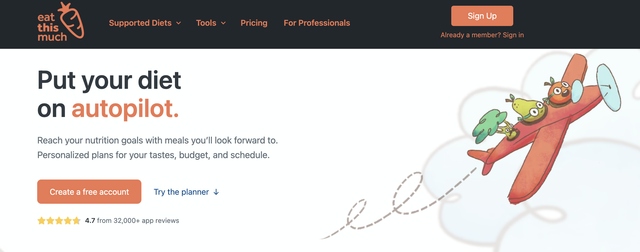
Most calorie counters get one thing wrong: they’re reactive. You eat something, then you log it, then you find out you’ve blown your macros by 2 p.m. Eat This Much flips that script. Instead of tracking what you already ate, it generates complete daily and weekly meal plans that hit your calorie and macro targets before you take a single bite.
The algorithm takes into account your diet preferences (vegan, paleo, Mediterranean, anything), food allergies, budget, prep time, and schedule. It automatically builds grocery lists, manages leftovers, and adjusts serving sizes. You can swap any meal with one tap if the plan doesn’t suit your mood.
Best for: Anyone tired of decision fatigue around meals, busy professionals, people who want to hit their targets without spending hours planning. Pairs well with any calorie tracker on this list for a complete plan-and-track workflow.
Ratings:
Rated Best Meal Planning App by CNN Underscored in 2023 and 2025, with 4.7 stars across 30,000+ reviews and more than 6 million users, Eat This Much has generated over 310 million personalized meals.
Pricing:
The free version lets you create unlimited daily plans and save one to your account. Premium ($5/month on annual billing or $15/month for monthly billing) unlocks weekly planning, the virtual pantry, grocery delivery integration via Instacart and Amazon Fresh, and advanced customization. A 14-day free trial and 30-day money-back guarantee make it easy to test.
Pros:
- Proactive planning eliminates the guesswork, your meals are built to hit your targets
- 5,000+ recipes with auto-generated grocery lists and delivery integration
- Supports any eating style with deep customization (high-calorie days, meal-specific macros)
- Affordable premium at $5/month annual, less than most competitors
Cons:
- Not a traditional calorie counter, designed for planning ahead, not logging after the fact
- Pairs best with a separate tracker if you also want to log unplanned meals
Cronometer – Best for Micronutrient Tracking
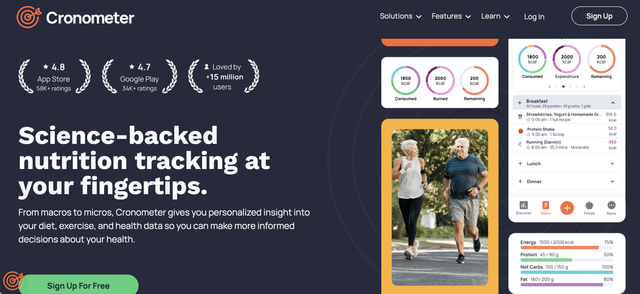
If you’ve ever wondered whether you’re getting enough zinc or vitamin K2, Cronometer is the app that actually has an answer. It tracks 84 nutrients using lab-verified data from sources like the USDA. You can set custom targets for calories, protein, vitamins, and minerals, log via barcode scan, and track things like blood pressure and blood glucose alongside your food diary.
Best for: Health-focused users, anyone managing specific nutrient deficiencies, and people who want the most comprehensive nutrition data available.
Pricing:
The free plan is genuinely powerful, covering full nutrient tracking and the verified database. Cronometer Gold (about $4.99/month billed annually or $10.99 month-to-month) removes ads and adds custom charts, a recipe importer, macro scheduling, a fasting timer, and AI-powered photo logging, a feature they rolled out in late 2025.
Pros:
- Verified database tracks micronutrients most apps ignore completely
- Highly customizable targets and detailed nutrient reports
- Free plan covers all core tracking
Cons:
- It’s not the prettiest app and the interface feels clinical and data-dense
- Manual logging can be slower than AI-based photo systems
MacroFactor – Best for Dynamic Macro Tracking
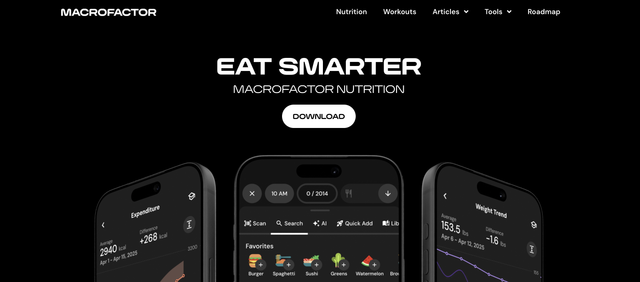
MacroFactor doesn’t try to be everything. It does one thing really well, you can adjust your calorie and macro targets based on what’s actually happening with your body weight. The app updates your numbers each week using trends from your weigh-ins, basically coaching your nutrition the way a good dietitian would, except it never takes a day off.
Best for: Serious athletes, bodybuilders, and anyone who wants their nutrition targets to move with their metabolism instead of staying static.
Pricing:
The food logger is quite fast (the team obsesses over reducing taps), and the database uses verified nutrition data. There’s no free tier, MacroFactor costs $11.99/month, $47.99 for six months, or $71.99/year after a 7-day trial. That’s a premium price, but you’re paying for dynamic coaching that most apps simply don’t offer.
Pros:
- Dynamic calorie targets adapt to metabolism, ideal for cuts, bulks, and recomp phases
- Fastest food logging experience with verified data
- Ad-free with a clean interface and supportive community
Cons:
- No free version and the cost is higher than other apps
- Focuses on numbers rather than recipes or meal inspiration
MyFitnessPal – Largest Food Database
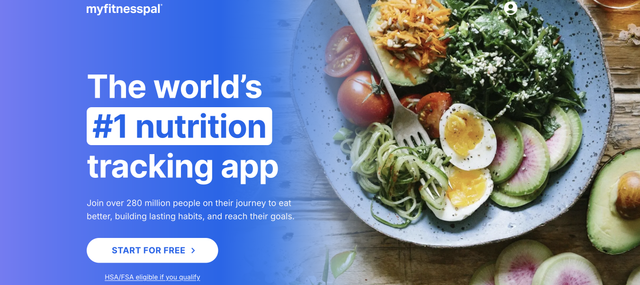
Love it or not, MyFitnessPal remains the most widely recognized calorie counter on the planet. Its database of 18 million+ foods means you can log almost anything, from a gas-station protein bar to your grandmother’s casserole. Barcode scanning is quick, and the newer “Meal Scan” feature uses AI to recognize foods from a photo, and voice logging adds another simple way to log meals.
Best for: Users who eat a wide variety of packaged, home-cooked, and restaurant foods and need the broadest database. Works well if you double-check entries.
Pricing:
The free plan covers basic calorie logging, but macro targets by meal, advanced reports, the meal planner, and ad-free use require Premium ($19.99/month or $79.99/year) or Premium+ ($24.99/month or $99.99/year) subscriptions. That’s steeper than most competitors, especially considering they have a database accuracy issue. Because entries are crowd-sourced, you’ll occasionally find wildly wrong nutritional data for common foods.
Pros:
- Massive database, almost any food can be found and logged
- AI meal scan, barcode scanner, and voice logging
- Integrates with dozens of wearables, fitness apps, and meal planning tools
Cons:
- Crowd-sourced entries mean data accuracy is inconsistent
- Free version is ad-heavy and locks core features like per-meal macros behind a paywall
Fitia – Best AI-Powered Coach

Fitia is building something closer to a personal nutritionist in your pocket than a simple food diary. Every database entry is reviewed by registered dietitians before publication, a rarity in an industry dominated by user-submitted data. The AI coach generates personalized meal plans, adjusts calories and macros automatically based on your progress, and supports logging via photo, voice, or natural-language text.
Best for: Users who want AI-driven meal planning and coaching bundled with calorie tracking, especially those who value database accuracy.
Ratings & reviews:
With 10 million+ users and a 4.9-star average rating, Fitia has gained traction fast.
Pricing:
The free version covers basic logging, but meal planning, advanced analytics, and the full AI coach require Premium ($19.99/month down to $59.99/year). A family plan runs $89.99/year.
Pros:
- RD-verified database, every entry reviewed before publication
- AI-generated meal plans that adapt as you progress
- Photo, voice, and text logging make tracking effortless
Cons:
- Full features locked behind Premium subscription
- May have more features than needed for basic calorie counting
Yazio – Building Healthy Habits
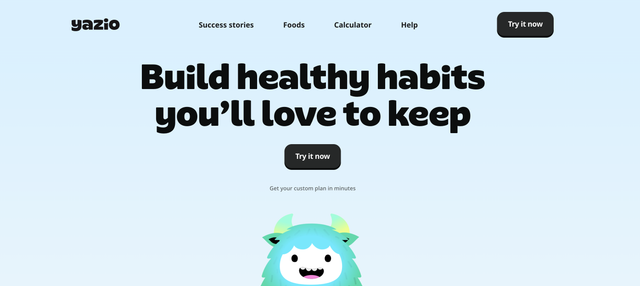
Yazio is designed to help you build better eating habits without making the process feel like a chore. The app combines an AI calorie counter, a built-in intermittent fasting timer, a food rating system that grades the healthiness of your meals, hydration reminders, streak tracking, and 3,000+ recipes in one clean, easy-to-navigate interface. Free users can track calories and macros and log meals by barcode or photo, while Yazio Pro adds advanced nutrition analysis, custom meal plans, ad-free tracking, and integrations with Fitbit, Garmin, and Apple Health.
Best for: People who want to build better eating habits gradually, without the rigidity of strict macro targets or the cost of coaching-heavy programs.
Pricing:
Basic options available in the free plan. The Yazio Pro has flexible subscription options starting at $24.99 for three months, $34.99 for six months, or $49.99 for a full year.
Pros:
- Built-in intermittent fasting tracker with customizable schedules
- Large recipe library with grocery list generation
- Multiple subscription lengths to fit different budgets
Cons:
- Free version is ad-supported with limited features
- Pricing can be confusing due to regional variations and multiple tiers
Lose It! – Best for Beginners

Lose It! has one of the friendliest onboarding experiences of any calorie counter, you’ll answer a detailed quiz about your goals, stats, and preferences before the app sets personalized targets. The interface is clean and intuitive, and the community challenges add a social accountability element that many trackers lack.
Best for: Tracking beginners, casual dieters, and anyone who benefits from social accountability.
Pricing:
The free plan covers calorie tracking and exercise logging. Lose It! Premium (roughly $39.99/year) unlocks custom macro targets, barcode scanning, the Snap It photo feature, and advanced insights.
Pros:
- Extremely user-friendly; great for people new to tracking
- Community challenges and social features boost motivation
- AI voice and photo logging in the premium tier
Cons:
- Free version lacks macro tracking, barcode scanning, and photo logging
- Doesn’t track vitamins or minerals, not ideal for micronutrient needs
Carb Manager – Best for Keto and Low-Carb
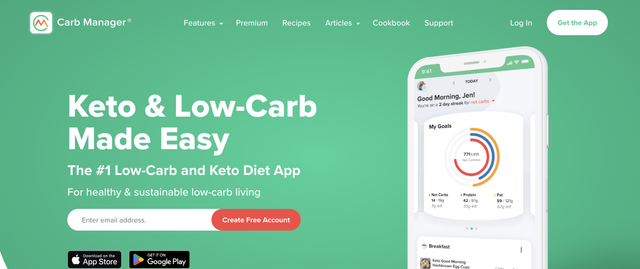
For anyone following a ketogenic or low-carb diet, Carb Manager is purpose-built. It tracks net carbs, offers keto-specific meal plans and recipes, and includes glucose and ketone tracking in the premium version. Voice and photo logging, grocery lists, fasting timers, and integration with Fitbit and Garmin round out the feature set.
Best for: Keto and low-carb dieters who want a tracker specifically designed for their eating style.
Pricing:
The free account covers basic tracking. Premium costs about $39.99/year (roughly $3.33/month billed annually).
Pros:
- Tracks net carbs with precision and offers keto-specific recipes and meal plans
- Integrates blood glucose and ketone tracking for the full keto picture
- Very affordable annual subscription
Cons:
- Free tier is quite limited
- Low-carb focus makes it less useful for balanced or high-carb diets
Noom Weight – Best for Behaviour Change

Noom takes a fundamentally different approach. Instead of just tracking your food, it tries to change how you think about food. The program combines calorie logging with daily psychology-based lessons, habit tracking, and optional one-on-one coaching.
It’s less of a nutrition app and more of a weight-loss program that happens to include tracking, with built-in GLP-1 support for users on prescription weight-loss medications.
Best for: People who’ve tried and failed with traditional calorie counting and diet apps, and want a program focused on psychologically backed processes to build lasting habits.
Pricing:
Plans start at $169 for four months (about $42/month), with six-month ($179) and twelve-month ($209) options. There’s a 7-day trial, but this is the most expensive option on our list by a wide margin.
Pros:
- Psychology-based approach teaches sustainable habits, not just numbers
- Optional coaching and GLP-1 program integration
- Daily lessons help users understand the “why” behind eating patterns
Cons:
- Significantly more expensive than typical calorie counters
- Light on detailed nutrient tracking which won’t satisfy data-driven users
FatSecret – Best Free Calorie Tracker
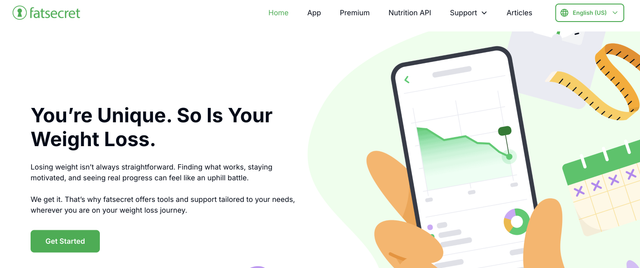
If you want a no-nonsense calorie counter that doesn’t paywall the basics, FatSecret delivers. The free version includes calorie and macro tracking, a large global food database, barcode scanning, weight logging, and community support. That’s more than many apps offer in their paid tiers.
Best for: Budget-conscious users who want solid free calorie and macro tracking without ads and premium versions locking essential features.
Pricing:
Free for most features but also offers a Premium version starting at around $6.49/month (pricing varies by region) which adds dietitian-designed meal plans, a water tracker, and advanced tools. But honestly, most casual users won’t need it.
Pros:
- Most generous free version of any calorie counter
- Supportive community and recipe sharing features
- Premium adds meal plans and water tracking at a low cost
Cons:
- Food database includes user-submitted entries that may be inaccurate
- Interface is functional but dated compared to other apps
- Premium pricing isn’t transparent, you have to open the app to see it
MyNetDiary – Best for Detailed Reports
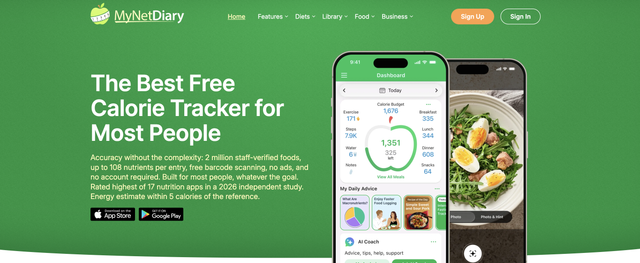
If you want to actually understand your nutrition data rather than just log it, MyNetDiary goes further than most apps. Where other trackers show you a calorie total and a basic macro split, MyNetDiary generates detailed charts and reports covering up to 51 nutrients, giving you a clear picture of trends in your eating over days, weeks, and months. It auto-adjusts your calorie targets based on your progress, so your goals stay relevant as your body changes, and it also integrates with Fitbit, Garmin, and other devices, pulling in your activity data automatically.
Best for: Data-driven users who want detailed nutrient reports and trend analysis at a moderate price.
Pricing:
The free plan covers basic calorie logging and weight tracking. Premium costs $60/year (about $5/month), reasonable for what you get.
Pros:
- Tracks 51 nutrients with robust charting and reports
- Auto-adjusting calorie targets respond to your progress
- Good device integration and data export options
Cons:
- Interface feels dated compared to AI-powered competitors
- Food database not as extensive as MyFitnessPal or Fitia
SnapCalorie – Best Free AI Photo Tracker
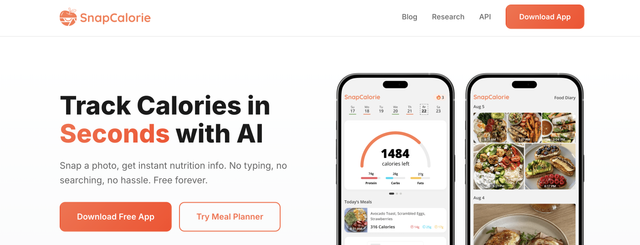
Built by former Google AI researchers, SnapCalorie is focused on one idea: take a photo, get your nutrition data. The app uses AI to look at your meal and estimate calories, macros, and 100+ nutrients using USDA-verified sources. On newer iPhones, it even uses the LiDAR sensor to estimate portion sizes more accurately, while voice logging and barcode scanning provide additional ways to track your food.
Best for: Tech-forward users who want fast, photo-based logging without manual entry. Great for restaurant meals and on-the-go tracking.
Pricing:
The free version logs up to three meals per day. The premium version, starting at roughly $89.99/year, unlocks unlimited logging and tips from an AI nutritionist. Even on the free tier, the core AI recognition is fully functional.
Pros:
- AI photo logging is quick, accurate, and backed by published research
- Tracks macros and 100+ micronutrients using verified USDA data
- Free tier is genuinely usable for most people
Cons:
- Still relatively new, database and features lag behind established apps
- AI accuracy depends on image quality and struggles with hidden ingredients (oils, sauces)
- Three meals/day limit on free plan may not work for people snacking often
Does Calorie Counting Actually Work?
Short answer: yes. People who track their food consistently lose more weight than people who don’t. Multiple studies have looked at this and found that logging what you eat makes you more aware of how much you’re eating, and that awareness leads to better choices. On average, people using food tracking apps lose about 6 pounds more than those who wing it.
The tricky part is sticking with it. Most people start strong and then trail off after a few weeks. That’s why the ease of the app matters so much. The less time you spend logging, the more likely you are to keep doing it. Apps with photo logging, voice input, or built-in meal planning cut down on that friction.
One thing to keep in mind is that calorie counting isn’t right for everyone. If you have a history of disordered eating, tracking can make things worse instead of better. If logging your food makes you anxious or obsessive, talk to a doctor or registered dietitian about other approaches.
5 Common Mistakes When Using Calorie Counter Apps
Calorie counter apps can be incredibly effective, but only if you use them correctly. Small errors in logging, assumptions about accuracy, or inconsistent tracking can quietly undermine your progress. Below are some of the most common mistakes people make and how to avoid them.
Mistake 1: Trusting Every Database Entry at Face Value
Crowd-sourced databases (MyFitnessPal, FatSecret, Lose It!) contain user-submitted entries that can be wildly inaccurate. A “chicken breast” entry might be 120 calories in one listing and 300 in another depending on who added it.
What to do instead: Cross-check entries that seem off, and prioritise apps with verified databases for more reliable tracking. When in doubt, check USDA FoodData Central directly.
Mistake 2: Logging Only Main Meals and Ignoring Extras
That handful of almonds, the oil you cooked with, the cream in your coffee, these “invisible” calories can add up to 300–500 calories daily for most people. Logging only breakfast, lunch, and dinner while skipping snacks and cooking oils defeats the purpose.
What to do instead: Log everything, including cooking fats, condiments, and beverages. Or better yet, use a meal planner like Eat This Much that accounts for these items upfront so there’s nothing to forget.
Mistake 3: Setting Unrealistically Low Calorie Targets
Dropping to 1,200 calories because an app suggested it might work for a few days, but it’s rarely sustainable. Eating too little leads to binging, muscle loss, and your body slowing down its calorie burn, which makes losing weight even harder later.
What to do instead: Aim for a moderate deficit of 300–500 calories below your maintenance level. Apps like MacroFactor and Fitia that adjust targets dynamically help prevent the trap of eating too little for too long.
Mistake 4: Tracking Obsessively Instead of Strategically
Some people weigh every gram of food, recalculate macros five times a day, and spiral into anxiety if they’re 50 calories over. That’s not sustainable, and past a certain point, obsessive tracking doesn’t get you better results, it just stresses you out.
What to do instead: Track consistently but not obsessively. Even logging two meals per day can be enough to stay aware without making it a full-time job. Use tracking as a learning tool, not a life sentence.
Mistake 5: Tracking Without a Plan
Opening a calorie tracking app at 9 p.m. to log everything you already ate doesn’t change your choices. Back-logging your meals at the end of the day only tells you what you’ve already eaten, planning ahead influences the choices you make before you’re hungry and gives you results.
What to do instead: Combine tracking with planning. Know what you’re going to eat before you eat it. That’s where a tool like Eat This Much shines, your meals are already built to hit your targets, and all you have to do is follow the plan.
Finding the Right Calorie Counter for You
There’s no single “best” calorie counter, only the best one that fits how you live and what you’re trying to achieve. Before choosing an app, think about what you actually need. Do you want detailed micronutrient data, simple calorie tracking, macro targets for performance, help with fasting, or structured guidance that changes your eating habits over time? The best choice is the one that supports your goal without adding friction to your day.
Also consider how you prefer to track. Some people want fast logging and a massive food database. Others value verified nutrition data, photo recognition, or built-in meal planning. If you find yourself constantly logging meals after you have already eaten them, a planning-first approach may serve you better than a tracking-only tool. The easier an app makes it to stay consistent, the more useful it becomes.
Most importantly, remember that the goal is not perfect numbers. It is awareness. Even imperfect tracking helps you understand portions, calories, and macros more clearly. Over time, that awareness turns into better decisions, whether you are cutting calories, maintaining weight, building muscle, or simply trying to eat more intentionally.
The best calorie counting app is the one you will actually use consistently. Choose the tool that matches your lifestyle, use it regularly, and let the data guide smarter choices.
If you’re tired of logging meals after the fact and realising you’ve missed your macros by dinner. Eat This Much builds your daily and weekly meal plans around your exact calorie and macro targets, generates grocery lists automatically, and lets you swap any meal with one tap when plans change. Try it for free and see how much easier it is when your meals are planned to succeed from the start.
Frequently Asked Questions
What’s the most accurate calorie counter app?
Apps that rely on verified nutrition databases are usually the most accurate. Cronometer stands out for its lab-verified data and broad micronutrient tracking, and Fitia reviews entries with registered dietitians. AI photo apps like SnapCalorie are improving quickly and work well for everyday use, but if precision really matters, weighing your food and using verified entries is still the gold standard.
Is there a completely free calorie counter app?
Yes. Several apps, such as FatSecret, offer solid free versions that cover basic calorie tracking, barcode scanning, and food logging. Some also include community features or limited AI photo tracking. Premium plans usually unlock advanced macro targets, detailed analytics, or coaching features, but you can absolutely track calories effectively without paying.
Do calorie counter apps actually help with weight loss?
For many people, yes. Research consistently shows that people who log their food tend to lose more weight than those who do not, about 6 pounds more on average when using a tracking app. The main reason is awareness. When you can see what you are eating, it becomes much easier to adjust portions and stay consistent. The specific app matters less than using it regularly.
Which app is best for tracking macros, not just calories?
If macros are your priority, look for an app that allows custom macro targets and detailed breakdowns by meal like Cronometer and MyNetDiary. Some apps like MacroFactor even adjust your macro targets dynamically based on your progress. The key is choosing a tool that makes it easy to see protein, carbs, and fats clearly without needing to dig through menus.
What’s the best calorie counter app for keto?
For a keto diet, the most important feature is accurate net carb tracking. Carb Manager is built specifically for low-carb and keto diets, with automatic net carb calculations, keto recipes, and optional ketone tracking. Other apps can work, but they often require more manual setup to track carbs correctly and stay within your limits.
Are AI photo calorie counters accurate enough to rely on?
AI photo calorie counters are getting impressively good and are accurate enough for most general weight loss or maintenance goals. Apps like SnapCalorie, Fitia, and Cal AI can quickly estimate calories and macros from a photo, which makes tracking far easier and more consistent. That said, they still provide estimates, so if you need highly precise numbers for competition prep or medical reasons, manual logging with a food scale will be more reliable.
Can calorie counting cause eating disorders?
For some people, yes. If you’ve struggled with disordered eating in the past, calorie counting can make those unhealthy patterns worse. If tracking makes you feel anxious, guilty, or obsessive about food, stop and talk to a doctor. There are other approaches, like intuitive eating or working with a dietitian, that might be a better fit.
What’s the difference between a calorie counter and a meal planner?
A calorie counter logs what you already ate (reactive). A meal planner like Eat This Much builds your meals in advance to hit your targets (proactive). Many users find combining both, planning meals ahead, then logging any deviations, produces the best results.
How many calories should I eat to lose weight?
That depends on your age, sex, weight, height, and activity level. Most adults lose about one pound per week at a 500-calorie daily deficit. Rather than guessing, you can use a TDEE calculator or an app like MacroFactor that estimates your metabolic rate using real data..
Should I track calories forever?
No, and most experts don’t recommend it. Think of tracking as a learning phase, after a few weeks, most people develop a better sense of portion sizes and calorie density. Use tracking strategically (during a cut, when learning new foods, or when progress stalls) rather than as a permanent habit.