


If Mealime has become part of your weekly routine, replacing it isn’t as simple as downloading another recipe app. You need somewhere to find meals that suit your preferences, organize the week, adjust servings, and turn everything you have planned into one useful grocery list.
With Mealime shutting down on October 21, 2026, existing users need to find another app and save anything they want to keep before the service closes.

The right replacement will depend on what you valued most about Mealime. Some people might want an app that takes care of most of the planning for them, while others need better nutrition tracking, more control over their own recipes, or an easier way to share plans and shopping lists with their household. There are also options built specifically around quick family dinners, ready-made weekly menus, and grocery delivery.
No single app will be the best fit for every former Mealime user. The most useful alternative is the one that replaces the parts of your existing routine you actually rely on.
How We Researched and Compared the Alternatives
We started with the features Mealime users actually relied on rather than a generic checklist. That included personalized meal or recipe suggestions, weekly planning, dietary preferences and exclusions, automatic grocery lists, serving adjustments, recipe importing, household sharing, and whether calorie or macro targets influenced the plan.
Apps that handled only one part of Mealime’s job didn’t make the list. A good grocery-list app isn’t much help if you still have to find recipes and build the entire week somewhere else. We also left out newer apps when we couldn’t confirm what they offered, how established they were, or whether their main features were likely to remain available.
For the eight apps that qualified, we compared how their meal planning works, how easy they are to use, which nutrition tools they include, and what you can access without paying.
One disclosure up front, Eat This Much is our app, and it’s included in this ranking. We held it to the same criteria as every other app on the list, and we’ve been specific about where another app is a better fit than ours.
The Best Mealime Alternatives at a Glance
No single alternative recreates Mealime exactly. Some come closest to its recipe-to-grocery-list workflow, while others offer stronger nutrition tools, family planning, or control over your own recipes.
| App | Best for | How it plans your meals | Auto grocery list | Nutrition tools | Starting price |
|---|---|---|---|---|---|
| Eat This Much | Automated meal planning around nutrition goals | Generates personalized daily or weekly plans based on your preferences, schedule, budget, and targets | Yes (Premium) | Calorie and macro targets, food logging, recipe creation, barcode scanning, and daily totals | Free / Premium from $5/mo (annual) |
| Samsung Food | Saving recipes and turning them into weekly plans | Build plans with saved, imported, or discovered recipes. Food+ can generate personalized weekly plans | Yes | Shows calories and nutrients for each recipe. The paid plan also tracks your food and creates meal plans around your nutrition goals | Free / Food+ from $6.99/mo or $59.99/year |
| Ollie | Families that want help deciding what to cook | Creates personalized family meal plans based on household preferences | Yes | Basic recipe nutrition rather than detailed tracking | Free trial / Paid pricing shown only in the app |
| Plan to Eat | Planning around recipes you already use | Import your own recipes and arrange them in a weekly planning calendar | Yes | Shows recipe nutrition and daily calorie and macro totals in the planner | 14-day free trial / From $4.08/mo (billed annually) |
| Paprika | Organizing and reusing a large recipe collection | Save recipes and manually arrange them in daily, weekly, or monthly plans | Yes, from selected recipes or meals | Preserves available recipe nutrition information but does not track daily intake | Limited free versions or $4.99 on iOS & Android / $29.99 on macOS or Windows |
| eMeals | Ready-made weekly menus and grocery delivery | Choose from curated weekly menus across different eating styles | Yes, with retailer integrations | Nutrition information is available for recipes, but tracking is limited | Free trial / From $4.99/mo (12-month plan) |
| AnyList | Shared meal planning and grocery lists | Add saved or imported recipes to a shared planning calendar | Yes, with AnyList Complete | No dedicated nutrition tracking | Free for lists & recipe features / Complete from $9.99/yr |
| Prepear | Combining personal recipes with food-creator content | Build custom plans using your own recipes or plans from participating creators | Yes | Nutrition information varies by recipe or creator | Free / Prepear Gold from $9.99/month when billed annually |
*Prices are shown in US dollars and were checked in September 2026. They may vary by platform, location, and billing period.
1. Eat This Much – Best Overall Mealime Alternative

Best for: People who want an app to build the whole meal plan and grocery list around their goals, not just help them pick recipes faster
Available on: Web, iOS, and Android
Starting price: Free / Premium starts at $5 per month when billed annually
Eat This Much automatically generates daily or weekly meal plans based on your calorie and macro targets, dietary preferences, excluded foods, budget, and schedule. You can replace any meal you don’t want, while Premium turns the finished weekly plan into an automatic grocery list.
You can regenerate the entire plan or swap a single meal when you don’t like something. The replacement is chosen with the rest of the day in mind, so changing lunch doesn’t mean manually reworking everything else to stay within your calorie and macro targets.
It also includes food logging, the option to create your own foods and recipes, barcode scanning, and pantry tools that help the planner use ingredients you already have. This makes it possible to plan and track in the same place instead of moving between a meal planner and a separate food tracking tool.
How Eat This Much Compares with Mealime
Both apps are designed to answer the same basic question: what am I going to eat this week? They can account for food preferences, create meal plans, let you replace meals, adjust serving sizes, and turn the plan into a grocery list.
The biggest difference is that Mealime helps you choose quick recipes and combine them into a weekly plan, while Eat This Much generates meal plans around your calorie and macro targets, dietary approach, and schedule.
Mealime and Eat This Much both reduce the work involved in deciding what to eat and shopping for it, but Eat This Much gives nutrition a much bigger role. It plans the whole day, including breakfast, lunch, dinner, and snacks, with additional control over meal frequency, budget, leftovers, and how much cooking you want to do. Its built-in tracking is also useful for anyone who would otherwise need a separate app to log their meals.
What some Mealime users may miss is its more cooking-led experience. Mealime made it easy to browse recipes, choose the ones that look good, and follow easy instructions in the kitchen.
Eat This Much may require more setup at first and its recipe library is less focused on browsing for inspiration. However, it’s better for people who want the app to make more of the planning decisions and track what they eat.
Eat This Much Pros and Cons
Pros
- Builds the complete plan for you around calorie and macro targets
- Plans breakfast, lunch, dinner, and snacks
- Accounts for dietary preferences and disliked foods
- Lets you replace individual meals without rebuilding the day
- Generates an automatic grocery list (Premium)
- Combines planning and food tracking with food logging, recipe creation, and barcode scanning
- Works across web and mobile
Cons
- Weekly planning and automatic grocery lists require Premium
- Takes more initial setup than choosing from a recipe library
- May feel too nutrition-focused if you only want simple dinner ideas
- The recipe-browsing experience is less central than it is in Mealime
Who Should Choose Eat This Much?
Choose Eat This Much if you want an app to decide what to eat while keeping the plan close to your calorie, macro, dietary, and budget goals. It brings weekly planning, grocery lists, and food tracking into one place, so you don’t need a separate app for each part of your routine.
If you mainly want quick dinner inspiration without setting nutrition targets, other apps on this list like Samsung Food or Prepear may feel closer to the way you used Mealime.
2. Samsung Food – Best for Free Recipe Saving and Weekly Planning
Best for: People who want to keep discovering and saving recipes rather than have an app choose every meal for them.
Available on: Web, iOS, and Android
Starting price: Free / Samsung Food+ starts at $6.99 per month
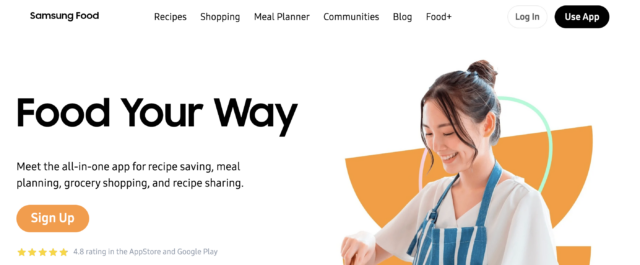
Samsung Food lets you discover recipes from a library of over 180,000 entries, save them from other websites, and organize them into a weekly meal plan. Once your week is ready, you can add the ingredients to a grocery list and share the plan or list with other members of your household.
These core features are available for free. For more help with the planning itself, Samsung Food+ creates custom seven-day plans and adds food and nutrition tracking, AI tools for adjusting recipes around your preferences, saved meal plans, and tools for finding recipes that use ingredients you already have.
How Samsung Food Compares with Mealime
Samsung Food is one of the closer matches for Mealime’s recipe-to-shopping-list experience. The main difference is how you reach the finished plan. Mealime provided a more guided experience centered around a collection of quick recipes. Samsung Food offers a much larger selection and makes it easier to save recipes from across the web, but its free version leaves more of the planning up to you.
That wider selection gives you more choice, especially if you regularly save recipes from different websites. However, it can also mean spending longer deciding what to cook. If you valued Mealime because it reduced those decisions, Samsung Food’s free planner may feel like more work even though it offers a broader set of features.
Samsung Food Pros and Cons
Pros
- Free recipe saving, weekly planning, and grocery lists
- Imports recipes from websites
- Large recipe library with more than 180,000 options to browse
- Shared meal plans and grocery lists
- Available across web and mobile
- Paid plan adds automatic weekly plans and nutrition tracking
Cons
- Requires more recipe browsing than Mealime
- The free planner leaves more decisions to the user
- Recipe quality and detail can vary between sources
- The large library may feel less focused
- Can take more steps to get from needing a meal to completing the plan
- Automatic weekly plans require Food+
Who Should Choose Samsung Food?
Samsung Food makes sense if you enjoy browsing for recipes and want a free place to save them, plan the week, and prepare a grocery list. It’s also a strong option for households that plan and shop together. If you want the app to decide what you should eat, you won’t get that from this app, and the free version may still leave you with too much planning to do yourself.
3. Ollie – Best Mealime Alternative for Families

Best for: Households where the hardest part of meal planning is deciding what everyone will eat.
Available on: iOS and Android
Starting price: 7-day free trial / Paid subscription pricing is shown in the app
Ollie creates AI-generated weekly meal plans around your family’s tastes, dietary needs, schedule, and health goals. Instead of treating the household as one person with one set of preferences, it’s designed to handle all the different requests that make family meal planning difficult.
You can change meals that don’t work, and Ollie learns from your ratings, edits, and requests to improve future suggestions. Once the plan is ready, it creates an organized grocery list that can be sent to services such as Instacart and Amazon Fresh. You can also photograph your fridge or pantry to get meal suggestions based on ingredients you already have.
How Ollie Compares with Mealime
While Mealime helped families choose from a selected collection of quick recipes, Ollie takes a different approach by generating the plan and recipes around the household information you provide. This works well for families planning for children, picky eaters, dietary restrictions, or family members with different preferences.
The flexibility of AI-generated recipes also comes with less predictability. Mealime’s established recipe collection provided a more consistent cooking experience, while Ollie’s results depend on how well the app interprets your requests.
Ollie’s pricing is perhaps the main drawback because it requires a paid subscription once the trial ends, and its current price is only displayed during signup. That makes it harder to compare the full cost before downloading the app.
Ollie Pros and Cons
Pros
- Designed specifically for family meal planning
- Accounts for different tastes and dietary needs
- Learns from meal ratings, changes, and requests
- Makes it easy to replace meals
- Creates an automatic grocery list
- Suggests meals using ingredients you already at home
- Connects with grocery delivery services
Cons
- No permanent free plan
- Subscription pricing is not clearly published
- AI-generated recipes may be less consistent than a built-in library
- Less suitable for people who prefer browsing proven recipes
- No full web-based meal planner
Who Should Choose Ollie?
Ollie will be most useful for people who’s most difficult part of meal planning is finding something the whole household will eat. Families managing picky eaters, different preferences, and busy schedules are likely to get more from it than solo users or couples with straightforward meal needs. If you prefer browsing a consistent recipe library yourself, you may prefer Samsung Food, Prepear, or another recipe-led option.
4. Plan to Eat – Best for Planning with Your Own Recipes

Best for: People who already have recipes they love and want an easier way to plan with them.
Available on: Web, iOS, and Android
Starting price: 14-day free trial, then $5.95 per month or $49 per year
Plan to Eat brings recipes saved across websites, social media, cookbooks, and family recipe cards into one searchable recipe book. You can add them to a planning calendar, adjust the number of servings, and automatically turn the ingredients into an organized grocery list. The list can also include extra household items that can be split by different stores.
The app also helps you schedule leftovers and keep track of meals in your freezer. It doesn’t provide its own recipe library or allow you to choose your meals, so it’s best for organizing recipes you’ve already found and want to make.
How Plan to Eat Compares with Mealime
Plan to Eat replaces Mealime’s planning and shopping tools, but not its recipe recommendations. Mealime helped you discover quick recipes and choose what to make, while Plan to Eat expects you to bring your own recipes and decide where they fit into the week.
That makes it more flexible for anyone whose favourite recipes are currently scattered across bookmarks, screenshots, social media posts, and recipe cards. You’re not limited to meals selected by the app, and you have full control over what appears in your week. Once the recipes have been imported, the app gives you more control over serving sizes, leftovers, freezer meals, and how the week is organized.
The main limitation is that Plan to Eat doesn’t solve the question of what to cook. Mealime gave you a shortlist of approachable recipes to choose from, while Plan to Eat expects you to already have your own ideas. If you relied on Mealime to suggest meals you hadn’t considered, you will need to find that inspiration elsewhere.
Plan to Eat Pros and Cons
Pros
- Imports recipes from websites and social media
- Stores family recipes and personal favorites
- Creates a grocery list from the meals you schedule
- Adjusts recipes and grocery quantities for different serving sizes
- Includes tools for leftovers and freezer meals
- Syncs across web and mobile
- One subscription covers the household
- Offers a 60-day refund period for eligible website subscriptions
Cons
- No permanent free plan
- Doesn’t provide a built-in recipe library
- Takes time to build your recipe collection
- Doesn’t recommend or automatically generate meals
- Offers little inspiration if you don’t already know what you want to cook
Who Should Choose Plan to Eat?
Plan to Eat is a good match if you already know what you like to cook but need a better system for organizing recipes, planning the week, and shopping for it. If recipe discovery was one of your favorite parts of Mealime, other apps will give you more inspiration without requiring you to build the collection yourself.
5. Paprika – Best for Organizing a Recipe Collection

Best for: Anyone who wants to build a permanent recipe collection they can search and reuse for years.
Available on: iOS, Android, macOS, and Windows
Starting price: Limited free versions available on Android & Windows, otherwise $4.99 on iOS & Android / Desktop versions cost $29.99 each
Paprika is designed to turn recipes from across the web into an organized personal collection. Its built-in browser imports the ingredients, instructions, nutritional information, and images from a recipe page, after which you can edit the details and arrange recipes into your own categories and subcategories.
Saved recipes can be added to daily, weekly, or monthly calendars. Once your meals are scheduled, Paprika then combines the ingredients into a grocery list and sorts them by aisle. Its pantry helps you keep track of ingredients you already have, while free cloud syncing keeps your recipes, plans, and lists up to date across the versions you own. Your information is also stored locally, so you can access it offline.
How Paprika Compares with Mealime
Paprika is better at storing and organizing recipes, while Mealime provided more help with finding them and deciding what to cook. There is no specific recipe library or personalized set of recommendations in Paprika, so you need to find and import each recipe yourself.
Where Paprika stands out is what happens after those recipes have been saved. You can create reusable menus, plan several weeks in advance, adjust serving sizes, and use cooking tools that let you highlight instructions, cross off ingredients, and start timers from the recipe.
Its pricing model is also different from most of the alternatives on this list. Paprika requires a one-time purchase instead of a subscription, and cloud syncing is included at no additional cost. However, each platform is sold separately, so using it across a phone and computer means buying both versions.
Paprika Pros and Cons
Pros
- Imports recipes directly from websites
- Organizes recipes into categories and subcategories
- Supports daily, weekly, and monthly planning
- Combines ingredients into an organized grocery list
- Accounts for ingredients already in your pantry
- Includes helpful tools for following recipes while cooking
- Works offline
- No ongoing subscription
Cons
- Doesn’t recommend meals or create plans automatically
- No built-in recipe library
- Each platform has to be purchased separately
- Requires time to build and organize your collection
- Less useful if you don’t already know which recipes you want to make
Who Should Choose Paprika?
Paprika will appeal most to people who have a large recipe collection from websites and want a permanent, organized place to keep them. It’s useful if you like choosing every meal yourself and want to reuse the same collection over time without paying a subscription. Anyone looking for Mealime to be replaced as a source of quick recipe ideas may find Eat This Much or Ollie more suitable.
6. eMeals – Best for Ready-Made Weekly Menus

Best for: People who want a ready-made weekly menu and regularly order groceries for pickup or delivery.
Available on: Web, iOS, and Android
Starting price: 14-day free trial, then $4.99 per month with a 12-month subscription
eMeals publishes new weekly dinner menus across more than 15 food styles, including 30-minute, budget-friendly, kid-friendly, Mediterranean, keto, plant-based, and gluten-free options. You can select meals from your preferred menu or choose recipes from any of the other available styles.
Once you have chosen your meals, eMeals builds a grocery list that you can use in store or send to a supported retailer such as Walmart, Kroger, Amazon Fresh, and Instacart for pickup or delivery. Breakfast and lunch plans are available for an additional cost, while the standard subscription focuses only on dinner.
How eMeals Compares with Mealime
eMeals is one of the closest alternatives to Mealime in the way it handles dinner planning. Both services present a manageable selection of recipes, let you choose what to cook, and turn those choices into a grocery list.
The difference lies in how the recipes are organized. Rather than building recommendations around detailed household preferences, eMeals publishes ready-made menus for different eating styles. You can move between these menus and choose any recipes you like, but the service doesn’t personalize the finished week as closely as other apps.
While it remains primarily a dinner-planning service, breakfast and lunch plans are available separately, making it less suitable for anyone who wants one plan covering the entire day.
eMeals Pros and Cons
Pros
- Publishes new dinner menus every week
- Covers more than 15 eating styles
- Lets you choose recipes from across its different plans
- Automatically creates a grocery list from your selected meals
- Connects with several major grocery services
- Includes options for families, dietary needs, and different budgets
Cons
- No permanent free version
- Primarily focused on dinner
- Breakfast and lunch plans cost extra
- Menus are organized by broad eating style rather than individual preferences
- Does not automatically build a complete day around calorie or macro targets
- Grocery pickup and delivery availability depends on your location
Who Should Choose eMeals?
eMeals is a strong choice if you want someone else to provide the weekly dinner ideas and make ordering the ingredients as easy as possible, without searching through a large recipe library. It’s especially convenient if you want to choose several meals, create the grocery list, and send the ingredients directly to your preferred retailer. For former Mealime users who value convenience more than detailed nutrition targets, it might be one of the closest like-for-like replacements on this list.
7. AnyList – Best for Shared Grocery Lists

Best for: Couples and households that plan and shop together and need everyone’s list to update in real time.
Available on: Web, iOS, and Android
Starting price: Free / AnyList Complete costs $9.99 per year for an individual or $14.99 per year for a household
AnyList is built around shared grocery lists that update in real time. Everyone with access can add or remove items and changes sync instantly, so if one person crosses milk off the list at the store, everyone else can see that it has already been picked up. This makes it easier to divide the shopping without buying the same item twice.
With AnyList Complete, you can import recipes from websites, add them to a meal-planning calendar, and send the needed ingredients to a shared grocery list. Plans and recipes can also be shared with other members of the household.
How AnyList Compares with Mealime
AnyList focuses more on coordinating the planning and shopping than helping you decide what to cook. It doesn’t provide a specific selection of meals or recommend recipes based on your preferences. You find or add the recipes, then use the app to organize the calendar and shopping list.
Its main advantage over Mealime is the shared-list experience. Changes appear instantly for everyone, so one person can add an item at home while another is already at the store. Household members can also share recipes and update the meal plan together.
However, meal planning and recipe importing both require AnyList Complete. Even with the paid version, the app won’t build the week for you, you’ll need to find recipes elsewhere, making it less useful for people who relied on Mealime for recipe ideas and help deciding what to make.
AnyList Pros and Cons
Pros
- Shared grocery lists update in real time
- Free version supports lists shared with multiple people
- Automatically groups grocery items by category
- Imports recipes from popular websites with AnyList Complete
- Turns planned recipes into a grocery list
- Affordable annual household subscription
Cons
- Meal planning requires AnyList Complete
- Recipe importing is also a paid feature
- Does not suggest meals or generate weekly plans
- Requires you to find and organize your own recipes
- Offers fewer nutrition tools than dedicated meal-planning apps
Who Should Choose AnyList?
AnyList is a good fit for couples, families, or roommates who regularly add to the same grocery list and share responsibility for shopping. The meal planner is useful if the household already knows what it wants to cook and mainly needs a way to coordinate. If deciding what to make is the harder part, Eat This Much, Ollie, or eMeals can take more of that decision off your hands.
8. Prepear – Best for Recipe Collections and Guided Cooking

Best for: People who follow food creators and want to combine their content with personal recipes and meal planning.
Available on: Web, iOS, and Android
Starting price: Free / Prepear Gold costs $9.99 per month when billed annually
Prepear combines your own recipes with a library of more than 300,000 options from food bloggers and other creators. You can save recipes from websites, enter family favorites manually, organize them into personal cookbooks, or browse recipes already available inside the app.
You can also create meal plans, move recipes between days, and automatically add the ingredients to a grocery list. Other features include nutrition information, preparation reminders, and the option to keep your screen awake while you cook.
How Prepear Compares with Mealime
Prepear and Mealime both connect recipe discovery, meal planning, and grocery lists. The difference is that Prepear gives you more ways to build a recipe collection than Mealime did. You can mix recipes you’ve imported yourself with cookbooks and meal plans from food creators, rather than choosing only from the app’s own selection.
It also puts more emphasis on the cooking stage. Cook Mode presents recipes without the clutter of the original website, while preparation tips and reminders help you stay on track. However, unlimited Cook Mode and full access to every creator cookbook and meal plan require Prepear Gold.
Prepear still leaves most of the weekly decisions to you. It gives you plenty of recipes and ready-made plans to work with, but it doesn’t generate a personalized week around your calorie targets, schedule, or household preferences.
Prepear Pros and Cons
Pros
- Saves recipes from websites
- Stores personal and family recipes
- Includes recipes from a wide range of food content creators
- Lets you build and adjust your own meal plans
- Creates grocery lists automatically
- Includes useful preparation reminders and cooking tools
- Free version includes unlimited recipe storage
Cons
- Unlimited Cook Mode requires Prepear Gold
- Some creator meal plans and cookbooks require payment
- Doesn’t generate meal plans around exact calorie or macro targets
- The mix of free and paid content can make access difficult
- You’ll still need to choose and arrange most meals yourself
Who Should Choose Prepear?
Prepear is a good fit if you follow food bloggers, save recipes from different websites, and want to combine them with your own family favorites. It works best for people who enjoy choosing their own recipes but want help organizing the week, preparing a grocery list, and following the instructions while they cook. It’s also worth considering if you’d like clearer, more focused instructions while cooking.
What If You Mainly Used Mealime to Track Nutrition?
Mealime showed nutritional information for its recipes, but it wasn’t designed primarily as a food-logging app. If tracking calories, macros, or individual nutrients matters more to you than planning meals, a dedicated food tracker may be a better replacement.
Cronometer for Detailed Nutrient Tracking
Cronometer tracks calories and macros alongside vitamins, minerals, and dozens of other nutrients. You can search for foods and log them manually, create your own recipes, or scan product barcodes to add items to your diary.
It’s a good choice if you want a detailed view of your nutrient intake. However, it won’t replace Mealime’s weekly plan-shop-cook process, so you may still need a separate app for meal planning and grocery lists.
MyFitnessPal for General Food Logging
MyFitnessPal is a more general food logger with a database of more than 22 million items. You can search for foods, enter meals manually, create recipes, and connect the app with fitness and health services. Barcode scanning is also available with a Premium subscription.
The standard free and Premium versions focus mainly on recording food and monitoring calories and macros. MyFitnessPal Premium+ now adds personalized weekly meal plans, grocery lists, and shopping integrations, although this is a higher paid tier and isn’t available in every country.
What to Look for in an App to Replace Mealime
Think about what you relied on Mealime for most. Was it choosing recipes, planning the week, creating the grocery list, or keeping everyone’s food preferences in one place? Once you know which features mattered, it’s much easier to narrow down the alternatives.
How Much Planning Do You Want the App to Do?
Start by deciding how many of the weekly decisions you want to make yourself. Eat This Much can generate the entire plan around your preferences, schedule, and nutrition targets, so you don’t need to choose and arrange every meal yourself. Other apps recommend recipes but leave you to build the week, while tools such as Paprika and Plan to Eat organize meals you’ve already selected.
If you want the app to take over most of the planning, check that you can easily replace any meals you don’t like. If you prefer building the week yourself, look for a clear calendar with simple tools for changing servings, scheduling leftovers, and repeating favorite meals.
Does It Make Shopping Easier?
Look at how much work is required to turn your meal plan into a usable grocery list. The best apps add ingredients automatically, combine duplicates, and update quantities when you change the serving size. Pantry features can remove items you already have, while aisle sorting saves you from reorganizing the list before you shop.
If your household shares the shopping, check that everyone can add items and see updates in real time. Retailer integrations are also useful if you want to send the finished list directly for pickup or delivery.
Can It Work with the Way You Eat?
Choosing an app that supports a gluten-free, keto, or vegetarian diet may only be the starting point. Depending on your household, you may also need to exclude allergens, disliked foods, or individual ingredients.
Pay attention to how the app handles nutrition too. Some simply show the calories and macros after you’ve chosen a recipe. Others build the meals and portions around your targets, which is more useful if you’re following specific calorie or macro goals.
What to Do Before Mealime Shuts Down
With Mealime shutting down, you may be worried about losing your favorite recipes, saved meal plans, preferences, and other account information. Here are the steps to take before the app closes so you can keep what matters and make the move to another service easier.
- Save your favorite recipes. Mealime hasn’t announced a bulk export tool yet, so save recipes individually while you still have access. You can use the available sharing or printing options, take screenshots, or copy the recipes you make regularly into your new app.
- Write down your preferences. Record your diet type, allergies, food restrictions, disliked ingredients, and usual number of servings. Having these details ready will make setting up a replacement much quicker.
- Keep copies of your regular meal plans. Take screenshots or print any plans you return to often. Don’t forget any personal items you’ve added to your grocery lists.
- Check your Pro subscription. Mealime says existing Pro subscriptions won’t renew, and Pro features are now free until the app closes. The shutdown announcement doesn’t promise refunds for time already paid for, so check the subscription through Apple, Google Play, or Mealime’s website if you’ve recently been charged.
- Decide what to do with your account. Mealime lets you delete your account through the app or by emailing them. Deleting it erases the preferences, plans, and favorites connected to the account, so save anything you need first. Mealime hasn’t published separate details about how long account data will be kept after the closure.
Is Meals Hub the Replacement for Mealime?
Mealime is directing users to Meals Hub, a free meal-planning feature created by Albertsons Companies, which owns Mealime. You’ll find it inside the grocery apps for Albertsons-owned stores, including Albertsons, Safeway, Vons, Jewel-Osco, and Shaw’s, rather than as a separate app.
Meals Hub covers several of the same basics as Mealime. You can browse recipes, build a weekly plan, create a grocery list, and add the ingredients to an online cart for pickup or delivery. It also connects recipes with prices, deals, and products available from the store linked to the app.
However, Mealime hasn’t confirmed that your favorites, previous plans, imported recipes, or food preferences will transfer to Meals Hub. Save anything you want to keep before the shutdown rather than assuming it will appear in the new service.
Meals Hub may be a convenient replacement if you already shop with a participating Albertsons-owned store. It’s less useful if those stores don’t operate in your area or you prefer to shop elsewhere. In that case, one of the independent meal-planning apps covered above will give you more choice over where you buy your groceries.
How to Switch From Mealime to Another App
Saving your Mealime recipes and settings protects the information you want to keep. The next step is setting up your new app so it works for the way you normally plan, shop, and cook.
You don’t need to move everything at once. Start with one normal week and use it to see what needs changing.
- Decide which Mealime features you used most. Think about whether you relied on it for finding recipes, planning the week, creating grocery lists, following cooking instructions, or checking nutrition. Use those priorities to guide how you set up the new app.
- Recreate your household settings. Add your diet, allergies, disliked ingredients, serving size, and any other food preferences. If you’re planning for several people, check that the app can handle everyone’s needs.
- Add a few favorite recipes. Start with meals you cook regularly rather than trying to transfer your entire collection. This gives you enough familiar recipes to test the planner without turning it into a large project.
- Build one typical week. Plan the same number of meals you normally would and try replacing a recipe, changing the servings, and scheduling leftovers. This will show you how easy the app is to use in everyday life.
- Check the grocery list carefully. Look for duplicated ingredients, incorrect quantities, missing pantry items, and products placed in the wrong category. If you share the shopping, make sure changes appear correctly for everyone.
- Make adjustments before adding anything else. Change the settings, recipe organization, or planning routine based on what worked during the first week. Once the app feels comfortable, you can bring over more favorites and use it for future plans.
Which Mealime Alternative Should You Choose?
There isn’t one replacement that will be a good fit for every Mealime user. The right choice depends on what you want the app to handle and what you’re happy to do yourself.
If you want to spend less time choosing recipes, look for an app that generates the plan around your diet, nutrition targets, schedule, and budget. If you enjoy browsing for recipes, an app with a larger recipe library and a good weekly planner may be more useful. You may also prefer an app built around your own collection if you already have plenty of meals you know and trust.
Whichever app you choose, test it with one realistic week before moving your full recipe collection across. Build the plan, check the grocery list, shop, and cook from it. This will tell you much more than comparing feature lists.
The best replacement isn’t the one with the longest feature list. It’s the one that makes deciding what to cook, planning the week, and shopping for it feel manageable again.
Eat This Much can build your weekly meals around your goals, preferences, and schedule, so you don’t have to plan everything yourself. Create your first plan and see how it fits your routine.
Frequently Asked Questions
When is Mealime shutting down?
Mealime is scheduled to shut down on October 21, 2026. Existing Pro subscriptions won’t renew, and Pro features are now free for everyone until the service closes. Save any recipes, preferences, or meal plans you want to keep before that date.
Why is Mealime shutting down?
Mealime hasn’t published a detailed explanation for the decision. The company is directing users to Meals Hub, a meal-planning feature available through participating Albertsons Companies grocery apps.
What is the best alternative to Mealime?
Eat This Much is the most direct choice if you want the app to generate meals around your preferences, schedule, and nutrition goals. Samsung Food is a better fit if you prefer browsing recipes and building the week yourself, while Plan to Eat works well for planning with recipes you already use.
Is there a free app like Mealime?
Yes. Samsung Food includes recipe discovery, weekly planning, and grocery lists in its free version. Eat This Much also offers free daily meal plans, although weekly planning and automatic grocery lists require a Premium subscription.
Is Eat This Much similar to Mealime?
Yes. Both apps account for food preferences, create meal plans, let you replace meals, adjust servings, and turn the plan into a grocery list. Eat This Much places more emphasis on automatic planning, calorie and macro targets, full-day plans, and food tracking, while Mealime was more focused on choosing quick recipes for the week.