


MyFitnessPal has been the default calorie tracking app for over a decade, but 2026 has tested that loyalty. Between the recent redesign, features disappearing behind a paywall, and a free tier that just doesn’t satisfy its users anymore, more people are looking for a MyFitnessPal alternative than at any point in the app’s history.
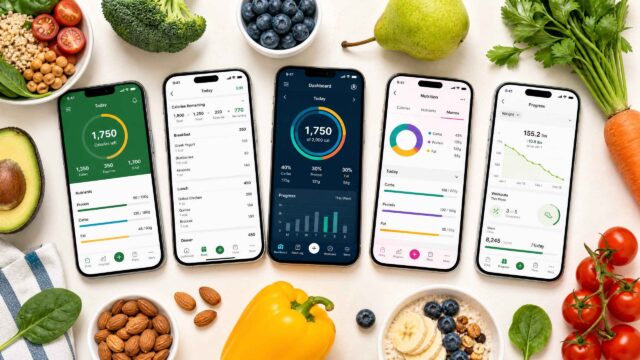
We researched and tested over 20 calorie tracking and meal planning apps to find the ones that genuinely do something better than MFP. The 10 below range from free calorie trackers with impressive features, to automated meal planners that remove the daily decision of what to eat, to adaptive macro coaches that adjust your targets based on real results.
Whether you need a cheaper alternative to MyFitnessPal, a more accurate one, or something that takes an entirely different approach to nutrition, we found an option that fits.
Why People Are Switching From MyFitnessPal
The recent redesign has moved many of the features that used to be free behind the Premium paywall, and the price tag now sits at $79.99/year. Some still consider MyFitnessPal to be free, but is it really? Technically yes, but the free tier is now so limited that most serious food and calorie trackers need Premium to get basic functionality like barcode scanning and custom macro goals.
Many users feel core tracking features should not require a subscription at all when other apps offer barcode scanning, full macro tracking, and verified databases at no cost.
What the Alternatives Do Better
If you’ve been searching for apps like MyFitnessPal, the good news is that the alternatives have gotten significantly better. Some now offer verified food databases that are more accurate than MyFitnessPal’s user-submitted entries. Others have leaned into AI photo logging, adaptive calorie coaching, or automated meal planning in ways MyFitnessPal has not matched.
Several apps similar to MyFitnessPal offer genuinely generous free tiers, and a few of them actually give you more functionality at no cost than MFP does on its paid plan.
Quick-Pick Comparison
| App | Best For | Price | Platforms | One-Line Verdict |
|---|---|---|---|---|
| Eat This Much | Automated meal planning | Free / $5-$15/mo | iOS, Android, Web | The only app that builds your entire meal plan for you instead of just logging what you ate |
| Cronometer | Micronutrient tracking | Free / $4.99-$10.99/mo | iOS, Android, Web | Tracks 84+ nutrients with USDA-verified accuracy; unmatched data depth |
| MacroFactor | Adaptive macro coaching | $5.99-$11.99/mo | iOS, Android | Adjusts your calorie targets weekly based on actual weigh-in results, not static formulas |
| Lose It! | Budget-friendly tracking | Free / $3.33-$9.99/mo | iOS, Android, Web | Solid all-rounder at half the annual cost of MFP Premium |
| FatSecret | Free calorie tracking | Free / ~$6.99–$14.99/mo | iOS, Android, Web | Full barcode scanning, macro tracking, and community features without paying a cent |
| MyNetDiary | Comprehensive free tier | Free / $5-$8.99/mo | iOS, Android, Web | 108 nutrients, no ads, staff-verified database, all on the free plan |
| YAZIO | Intermittent fasting | Free / $3.99-$6.99/mo | iOS, Android | Best integration of calorie tracking with multiple fasting protocols |
| Foodnoms | Privacy-first tracking | Free / $3.33-$5.99/mo | iOS, Mac, Watch | All data stays in iCloud; no ads, no account required |
| Lifesum | Structured diet programs | Free / $3.75-$9.99/mo | iOS, Android | 15+ guided diet plans with curated recipes and auto-adjusted macros |
| Carb Manager | Keto and low-carb | Free / $3.33-$7.99/mo | iOS, Android, Web | Built from the ground up around net carb calculations |
How We Chose These Apps
This list started with 20+ calorie tracking and meal planning apps that appear consistently in search results, Reddit recommendations, app store rankings, and health publication reviews. The final 10 were selected based on four criteria:
1. How well they address a specific MFP pain point (pricing, accuracy, feature depth, or functionality gap)
2. Whether they bring something genuinely different to the table
3. The quality of their free tier
4. Their track record with real users (app store ratings, community sentiment, publication reviews).
Pricing, feature availability, and app store ratings were verified and, where possible, we referenced third-party reviews (CNN Underscored, Lifehacker, Fortune) and user discussions on Reddit and community forums to compliment our hands-on evaluation.
Our MyFitnessPal Alternative App Reviews
Whether you want a free app like MyFitnessPal without the paywall, a better app for data accuracy, or a MyFitnessPal replacement that takes a completely different approach to nutrition, the reviews below cover it. Each app is assessed for what it does best, its honest downsides, and how it compares to MFP directly.
1. Eat This Much — Best for Automated Meal Planning

Eat This Much is the only app on this list that does the planning for you. Instead of logging food after the fact, it generates a complete daily or weekly meal plan based on your calorie target, macronutrient (macro) split, dietary preferences, and budget.
Who it is best for: People who are tired of the daily “what should I eat” decision and want a tool that removes that friction entirely. It’s especially useful for anyone following a specific diet (keto, vegan, paleo, Mediterranean) who wants plans that match their restrictions without manual effort.
What stands out: The automation. You set your calories, pick your diet type, specify how many meals you want per day, and Eat This Much generates a full plan with recipes and a grocery list. The Instacart and AmazonFresh integration means you can go from plan to delivered groceries in a few taps.
It also syncs with Apple Health and Google Fit, so your nutrition data flows into your broader health tracking setup. CNN Underscored named it Best Meal Planning App for 2025, and the 4.7-star rating across 22,000+ reviews backs that up.
The downside: Eat This Much is a meal planner, not a calorie logger. If what you really want is to scan barcodes at lunch and track your macros in real time, this is not the right tool. It solves a different problem: planning what to eat ahead of time rather than recording what you already ate. The free tier is limited to daily plans, weekly planning and full customization require Premium at $5/month (annual).
If you are choosing between Eat This Much and MyFitnessPal: MFP is a food diary, while Eat This Much is a food planner. If you spend more time deciding what to eat than logging what you ate, Eat This Much eliminates that problem entirely. At $60/year vs. MFP’s $79.99/year, it costs less and does something MFP’s meal planner (locked behind Premium+) still doesn’t do as well.
Pricing: Free (daily plans), Premium $5/month billed annually ($60/year) or $15/month. 14-day free trial with a 30-day money-back guarantee.
2. Cronometer — Best for Micronutrient Tracking

Cronometer is what you switch to when you realize MyFitnessPal’s food database is full of user-submitted errors and you want data you can actually trust.
Who it is best for: Anyone who tracks beyond calories and basic macros. If you care about hitting your zinc, magnesium, vitamin D, or omega-3 targets, Cronometer is the only consumer app that tracks 84+ nutrients using USDA-verified and NCC research-grade data.
What stands out: Database accuracy. Every food entry is staff-verified or sourced from USDA FoodData Central, which eliminates the guesswork that comes with MyFitnessPal’s crowdsourced entries. The micronutrient reporting is genuinely useful, you can see at a glance which vitamins and minerals you are consistently low on, which makes it practical for anyone managing a restricted diet or specific health goals.
The downside: The free version caps your historical data at 7 days and shows ads. If you want unlimited history, the Oracle Nutrient Search feature, and ad-free use, you need Gold at $4.99/month (annual). The interface is also more clinical than playful. If you want gamification or social features, look elsewhere.
If you are choosing between Cronometer and MyFitnessPal: It comes down to database trust, MFP has more food entries, but many are user-submitted duplicates with inconsistent data. Cronometer has fewer entries, but every one is verified. For anyone tracking micronutrients or following medical dietary advice, Cronometer is the safer choice.
Pricing: Free (7-day history, ads). Gold $4.99/month annual ($59.88/year) or $10.99/month. Pro for professionals at $39.99/month.
3. MacroFactor — Best for Adaptive Macro Coaching

MacroFactor is the smartest calorie tracker available if you are willing to pay for it. Its adaptive algorithm recalculates your actual energy expenditure every week based on real weigh-in data, which means your calorie targets evolve with you instead of staying static.
Who it is best for: Dedicated lifters, physique competitors, and anyone running a structured cut or bulk who needs their calorie targets to adjust automatically as their metabolism adapts. It’s also strong for anyone skeptical of TDEE calculators.
What stands out: The expenditure algorithm. Most apps set a calorie target based on a formula and never revisit it. MacroFactor watches your actual weight trend against your food intake and adjusts weekly. If your weight loss stalls, it does not just tell you to eat less. It recalculates what your body is actually burning and suggests a new target. The food database is NCC-derived and verified, so the data feeding the algorithm is reliable. Over 400,000 users and a 4.8-star rating on both app stores.
The downside: There is no free tier. At $5.99/month (annual), it’s a paid-only app. And in 2026, the logging experience feels dated compared to apps with AI photo recognition or voice logging. Every food still requires a manual database search. If fast logging matters more than smart coaching, this will feel slow.
If you are choosing between MacroFactor and MyFitnessPal: MacroFactor costs less than MFP Premium ($71.99/year vs $79.99/year) and offers a verified food database plus adaptive coaching that MFP doesn’t have. The trade-off is no free tier and no social features.
Pricing: $5.99/month annual ($71.99/year), $7.99/month on a 6-month plan, or $11.99/month. 7-day free trial.
4. Lose It! — Best for Budget-Friendly Tracking

Lose It! is the most natural direct replacement for MyFitnessPal. It covers the same core use case (calorie and macro logging) at a significantly lower price point, with a cleaner interface and a free tier that, while recently trimmed, still works for basic tracking.
Who it is best for: Anyone who liked what MyFitnessPal used to be and wants something similar without the $79.99/year price tag. Lose It! Premium at $39.99/year is exactly half the cost.
What stands out: The value proposition. At $3.33/month on the annual plan, Premium unlocks barcode scanning, macro breakdowns, meal planning, device syncing, and community tools. The interface is cleaner than MFP and the social features, like challenges and friend groups, give it a community feel that many switchers appreciate. There is also a $299.99 lifetime option for people who want to stop thinking about subscriptions.
The downside: In 2026, Lose It! followed MFP’s lead and moved barcode scanning into Premium for new users. The free tier is now limited to manual food search and basic logging, which makes it less compelling as a free alternative than it used to be. The food database is also user-submitted, which means the same accuracy issues as MFP.
If you are choosing between Lose It! and MyFitnessPal: If price is the primary reason you’re leaving MFP, Lose It! is the most straightforward switch with the same general feature set, half the annual cost, and a cleaner interface. The database quality is comparable (both crowdsourced), so it really comes down to price and UI preference.
Pricing: Free (basic logging). Premium $39.99/year or $9.99/month. Lifetime $299.99.
5. FatSecret — Best for Completely Free Calorie Tracking

FatSecret offers the most generous free tier of any major calorie tracking app. Barcode scanning, macro tracking, weight logging, and full community access are all available without paying anything.
Who it is best for: Anyone who wants functional calorie and macro tracking without a subscription. If you are leaving MFP specifically because of the paywall, FatSecret proves you don’t need to pay for the basics.
What stands out: The free tier includes everything most people actually need: a 380,000+ food database, barcode scanning, macro tracking, weight logging, and community support. No ads gating features, no 7-day trial bait. Premium adds AI photo logging (Smart Food Scan), a meal planner, recipe logging, and a Smart Assistant, but the free version is genuinely complete for straightforward calorie tracking.
The downside: The interface feels dated compared to newer apps. Navigation is functional but not intuitive, and the design hasn’t kept pace with competitors like YAZIO or Lifesum. The food database is large but not verified to the standard of Cronometer or MacroFactor, so occasional inaccuracies crop up. Premium pricing also varies by region (roughly $6.99 to $14.99/month in the US), with no free trial to test paid features.
If you are choosing between FatSecret and MyFitnessPal: If you used MFP’s free tier and are frustrated that features keep disappearing behind the paywall, FatSecret gives you more for free than MFP does. The trade-off is a less polished interface.
Pricing: Free (barcode scanning, macros, community). Premium varies by region, approximately $6.99 to $14.99/month or $38.99 to $59.99/year.
6. MyNetDiary — Best for Comprehensive Free Features

MyNetDiary is the most underrated app on this list. It can track up to 108 nutrients, offers barcode scanning, a staff-verified 2 million+ food database, and zero ads, all on the free plan. It’s a surprisingly feature-rich option for anyone who wants detailed nutrition tracking without paying for a premium subscription.
Who it is best for: Detail-oriented trackers who want verified data and deep nutrient visibility without paying for it. One of the most appealing features for anyone managing specific health conditions or on GLP-1 medications is the dedicated GLP-1 tracking features, including medication reminders, symptom tracking, and custom meal plans.
What stands out: The free version is remarkably complete. Most apps gate micronutrient tracking, ad-free use, or barcode scanning behind a paywall. MyNetDiary gives you all three for free. The database is 100% staff-verified (built on USDA FoodData Central and the University of Minnesota NCC database), which puts it in the same accuracy tier as Cronometer but without requiring a paid subscription to access full features.
The downside: The app has a steeper learning curve than simpler trackers like Lose It! or YAZIO. The sheer amount of data available (108 nutrients) can feel overwhelming if you just want to count calories. Premium ($59.99/year) adds AI meal scanning, intermittent fasting tools, and adaptive calorie goals. Premium Plus ($99.99/year) layers on AI coaching, which is useful but expensive.
If you are choosing between MyNetDiary and MyFitnessPal: MyNetDiary’s free plan is more feature-rich than MFP’s free plan in every measurable way: more tracked nutrients, verified data, no ads. The only area where MFP wins is the size of its social community.
Pricing: Free (108 nutrients, barcode scanning, no ads). Premium $59.99/year. Premium Plus $99.99/year.
7. YAZIO — Best for Intermittent Fasting + Calorie Tracking

YAZIO is the best option for anyone who practices intermittent fasting alongside calorie tracking. While most apps bolt on a basic fasting timer as an afterthought, YAZIO integrates multiple fasting protocols (16:8, 5:2, and others) directly into the calorie tracking workflow.
Who it is best for: Intermittent fasters who also track calories or macros. It’s also a strong choice for users outside the US, as YAZIO has fantastic coverage of European grocery brands and international foods compared to most US-centric apps.
What stands out: The fasting integration is well designed. You get a built-in fasting timer, ketosis tracking, fasting history, and multiple IF protocols, all connected to your daily calorie and macro data. PRO also includes 2,900+ recipes and AI photo logging. The interface is clean and modern, more visually polished than MFP or FatSecret.
The downside: The free version is limited to basic calorie tracking and a simple fasting timer. Barcode scanning, AI photo logging, advanced fasting programs, and macro tracking all require PRO at $3.99/month (annual). The food database is also not verified to Cronometer or MyNetDiary standards.
If you are choosing between YAZIO and MyFitnessPal: MFP added intermittent fasting tracking in Premium, but it’s just a basic timer. YAZIO’s fasting features are more developed and better integrated with nutrition tracking. At $47.90/year vs MFP’s $79.99/year, it also costs significantly less.
Pricing: Free (basic tracking). PRO $3.99/month annual ($47.90/year) or $6.99/month. 7-day free trial.
8. Foodnoms — Best for Privacy-Conscious Apple Users

Foodnoms is the nutrition tracker for people who want to track their food without their food tracking them back. All data is stored in iCloud, no account is required, and there are no ads or third-party data sharing.
Who it is best for: Apple ecosystem users who value privacy and want a simple, well-designed tracker without the bloat of larger apps. If you use an iPhone, iPad, Mac, and Apple Watch, Foodnoms integrates natively across all of them via Siri, Shortcuts, and widgets.
What stands out: The privacy model. In a category where most apps monetize user data or serve ads, Foodnoms charges a straightforward subscription and keeps your data on your device. The app reads and writes nutrition data to Apple Health (calories, macros, vitamins, minerals, water, caffeine), so it plays well with the broader Apple health ecosystem. AI photo analysis was added recently for faster meal logging.
The downside: Apple only. No Android version, no web app. If you switch platforms or need cross-platform access, this is a dealbreaker. The food database is also smaller than MFP or FatSecret, though barcode scanning covers most packaged foods. The social and community features that a lot of MFP users rely on don’t exist here.
If you are choosing between Foodnoms and MyFitnessPal: If you are an iPhone user who is uncomfortable with MFP’s data practices or tired of ads in the free tier, Foodnoms is a clean, private alternative. You trade social features and database size for privacy and a polished Apple-native experience.
Pricing: Free (unlimited tracking, barcode scanning). Foodnoms+ $39.99/year. Family plan $69.99/year (up to 6 users via Apple Family Sharing).
9. Lifesum — Best for Structured Diet Programs

Lifesum is the best choice if you want more than a food diary. Rather than just tracking what you eat, it offers 15+ structured diet plans (keto, Mediterranean, vegan, paleo, high-protein, and more) with curated recipes and auto-adjusted macro targets for each one.
Who it is best for: People who want guided structure rather than a blank food diary. If you know you want to try the Mediterranean diet but don’t know where to start, Lifesum gives you a plan with daily targets, recipes, and food suggestions tailored to that specific approach.
What stands out: The diet plan library. Each plan adjusts your daily calorie and macro targets, surfaces relevant recipes, and curates food suggestions based on the diet you selected. The interface is one of the most visually appealing in the category, with a meal rating system that gives quick feedback on whether your choices align with your plan. The fasting timer supports 16:8, 5:2, and 6:1 protocols.
The downside: The free version is heavily limited with ads, restricted features, and no access to diet plans or recipes. Premium unlocks everything but pricing has crept up, and at $44.99/year it’s not the cheapest option on this list. The food database, while decent, isn’t verified to the standard of Cronometer or MyNetDiary.
If you are choosing between Lifesum and MyFitnessPal: MFP Premium+ added a meal planner in 2026, but it’s primarily a recipe browser. Lifesum’s diet plans are more structured and opinionated, with daily targets and food recommendations that adjust based on which plan you follow. If you want guidance rather than just logging, Lifesum delivers more.
Pricing: Free (limited). Premium $3.75/month annual ($44.99/year) or $9.99/month. Family plan $59.99/year (up to 5 users). 7-day free trial.
10. Carb Manager — Best for Keto and Low-Carb Dieters

Carb Manager is the go-to app for anyone following a low-carb or ketogenic diet. While other trackers treat keto as one option among many, Carb Manager was built around net carb calculations from the start.
Who it is best for: Keto dieters, low-carb followers, and anyone who needs their app to think in net carbs (total carbs minus fiber) rather than total carbs. Also useful for people managing blood sugar who need precise carbohydrate data.
What stands out: Net carb tracking is front and center. The app automatically calculates net carbs for every food, which is the metric that actually matters for ketosis. The food database includes over 1 million items, and Premium adds AI photo recognition, voice logging, keto meal plans with grocery lists, and a keto-specific video course. The free tier includes core macro tracking, database search, and barcode scanning.
The downside: If you are not doing keto or low-carb, most of Carb Manager’s differentiating features are irrelevant. The app can track general calories and macros, but it’s optimized for a specific dietary approach. The interface can feel cluttered, with a lot of features competing for attention. Premium pricing ($39.99/year at full price, often discounted) is reasonable but adds up alongside other health app subscriptions.
If you are choosing between Carb Manager and MyFitnessPal: If you follow keto, this is the clear upgrade. MFP tracks total carbs by default and calculating net carbs requires manual work. Carb Manager does it automatically. However, if you’re looking for general calorie tracking outside of keto, MFP or Lose It! are better fits.
Pricing: Free (macro tracking, barcode scanning). Premium $7.99/month or $39.99/year. Frequently discounted.
So Which MyFitnessPal Alternative Should You Choose?

It depends on what frustrated you about MyFitnessPal in the first place.
If the paywall is the problem: FatSecret and MyNetDiary both offer more on their free plans than MFP does. FatSecret is the simpler switch, while MyNetDiary is the better choice if you care about data accuracy and micronutrient tracking.
If you want a direct replacement at a lower price: Lose It! is the closest thing to MFP at roughly half the annual cost. It offers the same core calorie and macro tracking experience, a large food database, and barcode scanning, but with a cleaner, more modern interface that many users find easier to navigate.
If you want more than a food diary: Eat This Much is the standout. If the daily decision fatigue of “what should I eat” is the real problem, this solves it. Instead of logging what you already ate, it plans what you should eat based on your goals, diet, and budget. It generates full weekly meal plans with recipes and a grocery list, which is a fundamentally different (and for many people, more useful) approach to nutrition.
If accuracy matters most: Cronometer and MacroFactor both use verified food databases, making them stronger choices than apps that rely heavily on user-submitted entries. Cronometer is the better option if you want detailed micronutrient tracking and health data, while MacroFactor stands out for its adaptive calorie coaching that adjusts your targets based on your actual progress.
If you follow a specific diet: Carb Manager is the strongest option for keto and low-carb tracking, Lifesum provides structured diet plans and meal guidance, and YAZIO has some of the best intermittent fasting tools available. Each is designed around a specific approach to eating rather than trying to be a general-purpose tracker.
If privacy is a priority: Foodnoms keeps your data stored in iCloud and doesn’t require you to create an account. It also avoids the advertising and data-sharing concerns that come with some larger nutrition apps. The only drawback is that it’s currently available exclusively for Apple users.
Every app on this list does at least one thing better than MyFitnessPal. The best one for you is the one that matches the specific reason you are looking for a change.
Looking for more than a MyFitnessPal replacement?
If your biggest challenge is deciding what to eat each day, we’ll do the planning for you. Generate customised meal plans, recipes, and grocery lists specifically for your goals.
Get started today and let your meal plan build itself!
Frequently Asked Questions
What is the best free alternative to MyFitnessPal?
If you want meal planning as well as calorie tracking, Eat This Much is one of the best free alternatives. For traditional food logging, FatSecret and MyNetDiary offer some of the strongest free plans, with features that MyFitnessPal now places behind a paywall. The best choice depends on whether you want help planning meals or simply tracking them.
What is the most accurate calorie tracking app?
Cronometer and MyNetDiary are usually the strongest choices for detailed calorie and micronutrient accuracy because they have the most accurate food databases and use staff-verified entries sourced from USDA FoodData Central and NCC research-grade data. MyFitnessPal, Lose It!, and FatSecret rely on user-submitted entries, which often contain duplicates, outdated nutrition facts, or incorrect portion sizes. Eat This Much is also a good option if you want accurate targets built into a meal plan rather than just a food log, as it generates meals around your calorie and macro goals. If accuracy is your top priority, Cronometer, MyNetDiary, or Eat This Much are the safest picks.
Is there an app that plans meals for you automatically?
Eat This Much generates complete, personalized meal plans automatically based on your calorie target, macro split, diet type, and food preferences. Other apps like Lifesum and MyFitnessPal Premium+ offer recipe libraries and pre-built meal plans, but they don’t create custom daily or weekly plans from scratch the way Eat This Much does.
Can I transfer my MyFitnessPal data to another app?
MyFitnessPal allows you to export your data through the app settings. Most alternatives do not offer a direct import tool, but Cronometer and MacroFactor both support CSV imports that can bring over your food diary history. For custom foods and recipes, you will likely need to recreate them manually in your new app. It is worth exporting your MFP data before canceling your subscription, as access may be limited on the free tier.
What are the best free apps similar to MyFitnessPal?
The best free apps like MyFitnessPal include FatSecret (full barcode scanning, macro tracking, and community at no cost), MyNetDiary (108-nutrient tracking with no ads on the free plan), and Eat This Much (personalised meal planning with custom macros built in). If you want the closest replacement for MyFitnessPal, FatSecret comes closest to replicating the full MFP experience without charging for it. If you want help deciding what to eat instead of just tracking it, Eat This Much is the better choice, while MyNetDiary is ideal if data accuracy matters most.